 1
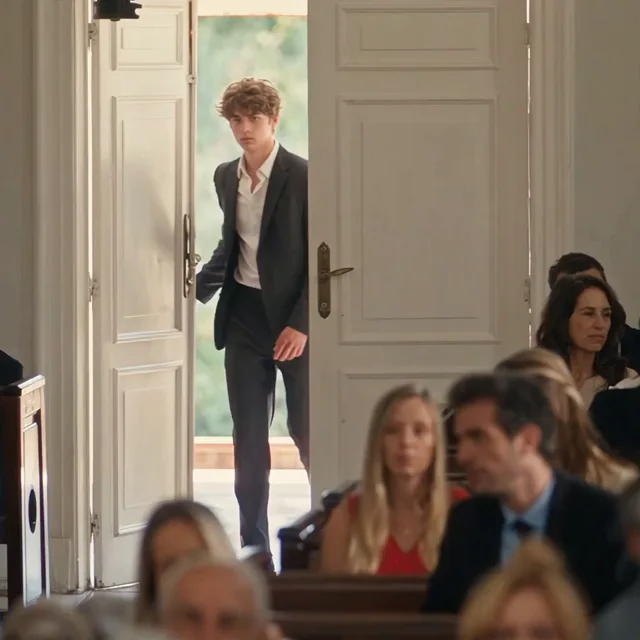
The doorway entrance
The lead enters through the open church door while the seated guests remain in the foreground.
YOUR PHOTO. THE CHURCH ENTRANCE.
Walk through the doors. Let the room turn. Make your own Damon Salvatore church AI video from a photo, with the water gesture, close-ups and final car shot built in. No prompt writing.
Who is in your church scene?
The person entering the church, dipping their fingers in water and appearing in the final car close-up.
The person seated in the pew who looks back. Leave empty to keep the reference observer.
12 seconds · Square 1:1 · HD 768p
Credits are returned automatically if generation fails.
THE SCENE, MOMENT BY MOMENT
These stills come from the reference video above. The finished edit follows its shot order and rhythm; your photos supply the identities for the lead and optional observer.
1The lead enters through the open church door while the seated guests remain in the foreground.
 2
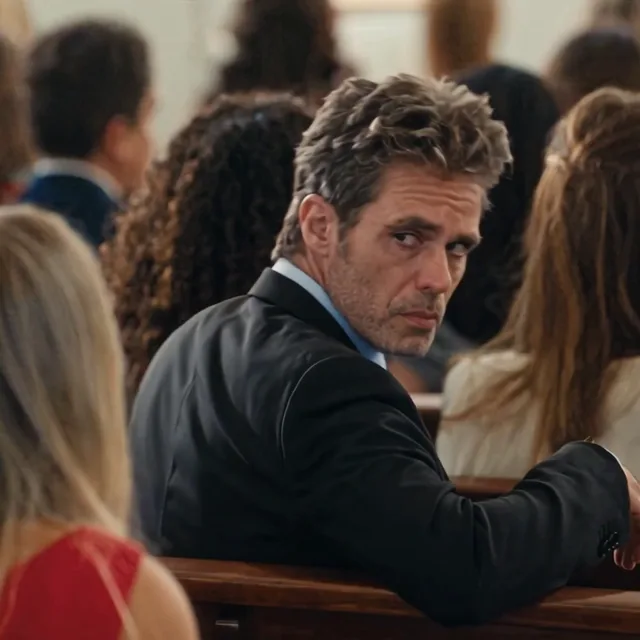
A separate cutaway catches the seated observer turning over one shoulder. This is the optional second role.
 3
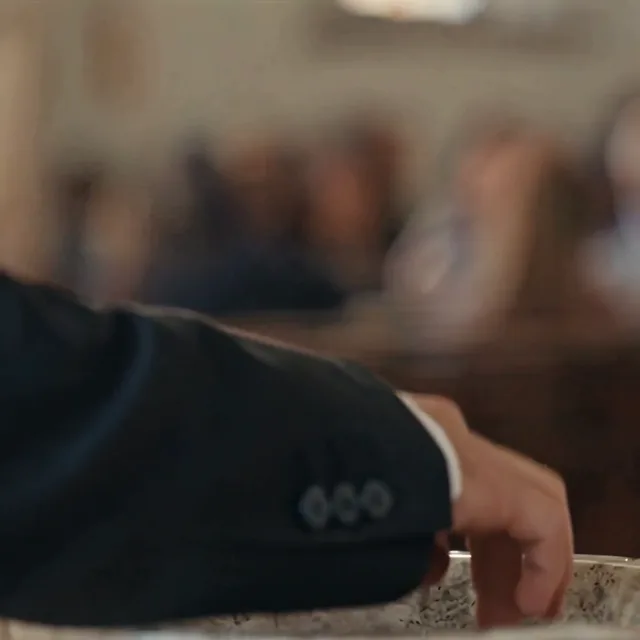
A hand-only insert preserves the basin, water contact and sleeve. It belongs to the lead, not the observer.
 4
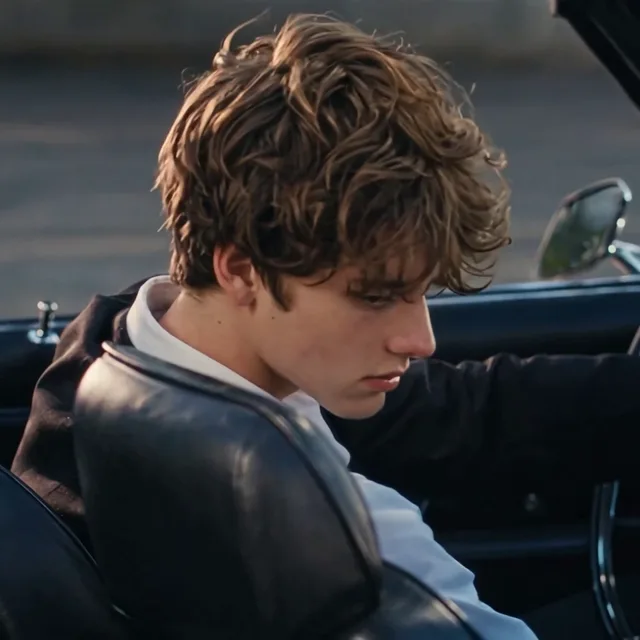
The edit finishes on the same lead in the car, with the low head angle and side profile carried across.
Inside the edit
Look through four details from the reference edit: the entrance, a reaction, the water gesture and the final car shot. These are reference stills, not customer results.
TWO ROLES. ONE CLEAR CAST.
Upload separate portraits so each person has one role. Your lead never becomes the seated observer halfway through the scene.
Use one clear portrait for all lead shots, including the doorway, hand insert, face close-up and car ending. Choose a photo with your face and upper body visible.
Add a friend to the look-back reaction. Their photo applies to the seated foreground figure and the reaction close-up. Without it, that character stays as shown in the reference.
NO PROMPT TO WRITE
Upload the lead photo and, if you want, a second portrait for the seated observer. Check the role labels before continuing.
The scene, gestures and sequence are already prepared. Sign in and use 35 credits, or buy a single generation for $6.90.
Your 12-second MP4 appears in My Videos. We email you when it is ready; download it within the free 24-hour storage window.
Photo guide
Use one adult per upload. A front-facing or gently angled portrait works better than a heavily edited selfie. Your lead photo carries the entrance and close-up; the optional second photo is for the seated observer.
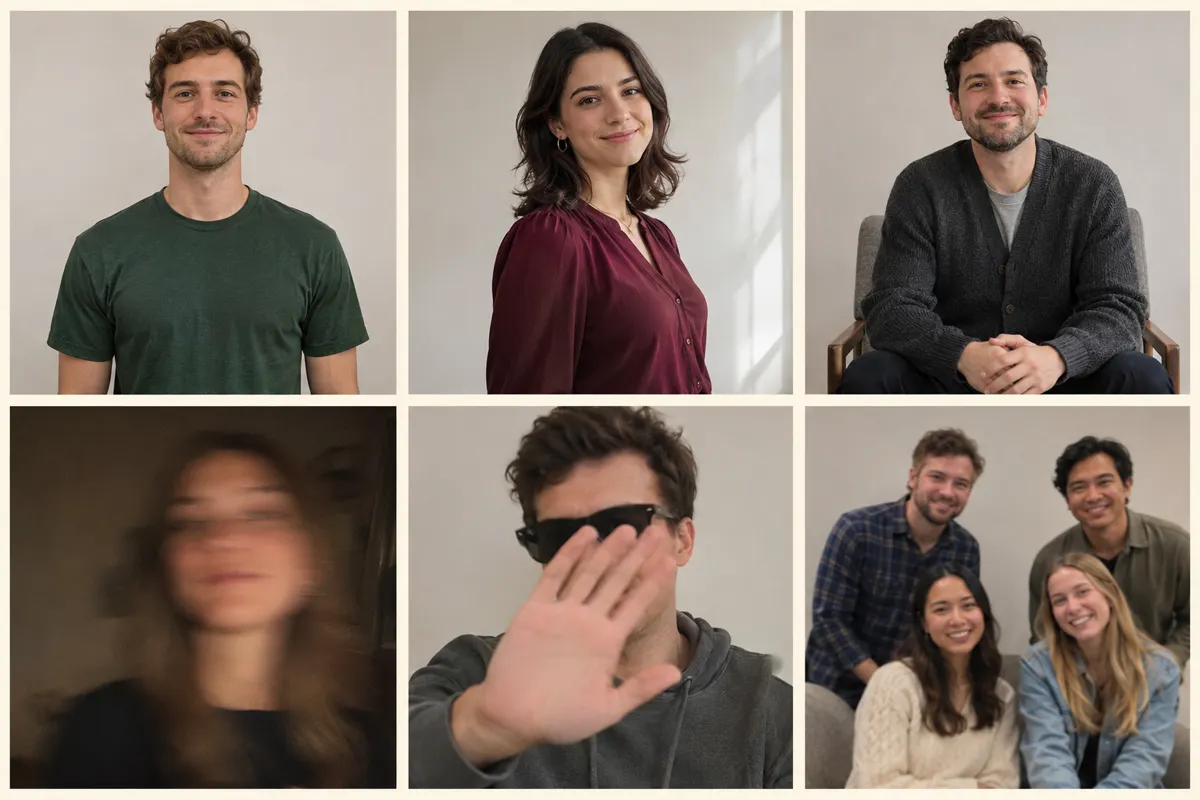
New AI-generated illustrations for this guide. Top row: suitable portraits. Bottom row: examples to avoid. These people are not customer uploads or generated video results.
Where the scene comes from
The Damon Salvatore church scene comes from The Vampire Diaries, season 4, episode 2, “Memorial.” It aired on October 18, 2012. Ian Somerhalder plays Damon; the original moment is a television scene, not an AI clip.
The town gathers after Pastor Young and other council members die in a fire. Elena is adjusting to being a vampire, while Connor’s investigation introduces a new threat. The church gathering gives Damon’s arrival its setting.
Episode listing: Apple TV ↗Damon blesses himself with holy water before joining the seated characters. That relaxed gesture in a solemn setting is the detail this template follows. Contemporary recaps noticed it when the episode first aired.
Contemporary recap: NiceGirlsTV ↗A dated April 2021 fan post already paired the church scene with music. It documents earlier fan-edit interest; it does not establish who made the first edit or when the scene first went viral. Different edits may use different songs.
Dated fan discussion: April 18, 2021 ↗LivelyReel follows the reference edit shown above, including its car ending, with four appearance anchors. Those anchors describe this template; they do not imply that the edit is one uninterrupted sequence in the original episode.
We could verify the episode and its original context, but not a first viral uploader, a universal soundtrack or the claim that Damon’s sign of the cross is “wrong.” Those claims are deliberately left out.
Our reading of the scene: a vampire casually using holy water creates contrast; the observer’s reaction gives the entrance a response; and the measured walk leaves room for a musical beat. These are creative observations, not verified claims about platform algorithms or view counts.
Before you retry
Try a sharper portrait with the entire face visible. Avoid strong beauty filters, deep shadows and extreme angles. AI can still vary facial details between shots; a clear input improves the starting point without guaranteeing an exact match.
Check the upload labels. Lead is the person entering, touching the water and appearing in the car. Seated observer is the optional reaction role. If you leave it empty, the reference observer remains.
That shot is a close-up of a hand, not an extra face shot. Keep custom details focused on styling and avoid asking for added gestures, objects or people. Fine finger movement remains a limitation of AI video.
Check My Videos for the task state. Processing usually takes 3–10 minutes and busy periods can take longer. Previews start muted: turn the player sound on. Review the finished download before posting; a failed generation returns its credits automatically.
Ready to share
Start with the doorway moment and let the reaction play out. Choose a caption below to copy, then adapt it to your own video.
Use a few relevant tags and your own context. Avoid promising an official show collaboration or implying the people really performed the scene.
Use the platform’s AI-content disclosure tools where applicable and get permission from everyone whose photo you upload.
The download is a 12-second square video. Preview any vertical crop before publishing. Retaining reference music does not grant music rights; check the permissions for your intended use.
Yes. This page makes the 12-second church-entrance edit shown above from your lead photo, with an optional second photo for the seated observer.
One lead photo is required. The observer photo is optional. Leave it empty to keep the reference observer and all other background guests.
The reference sequence includes both. We guide the generation with the original motion and separate scene images, including the hand insert and car close-up. AI can still vary in finger details, expressions and identity consistency.
A single purchase is $6.90 and supplies 35 LivelyReel credits, enough for one generation. Signed-in users can also spend 35 existing credits. No subscription is required.
Yes. The final video retains the reference audio. You do not need to write lyrics, record speech or upload a separate soundtrack.
Usually 3–10 minutes; busy periods may take longer. We email you when it is ready. Failed generation returns the spent credits to your account. Completed videos are stored free for 24 hours.
ONE SCENE. ONE PURCHASE.
One fixed 12-second edit. No model menus or prompt writing.
One-time purchase · No subscription
Independent fan-inspired AI tool. Not affiliated with The Vampire Diaries, its rights holders or cast. The preview and stills are reference material; AI results vary.
Explore more video templates