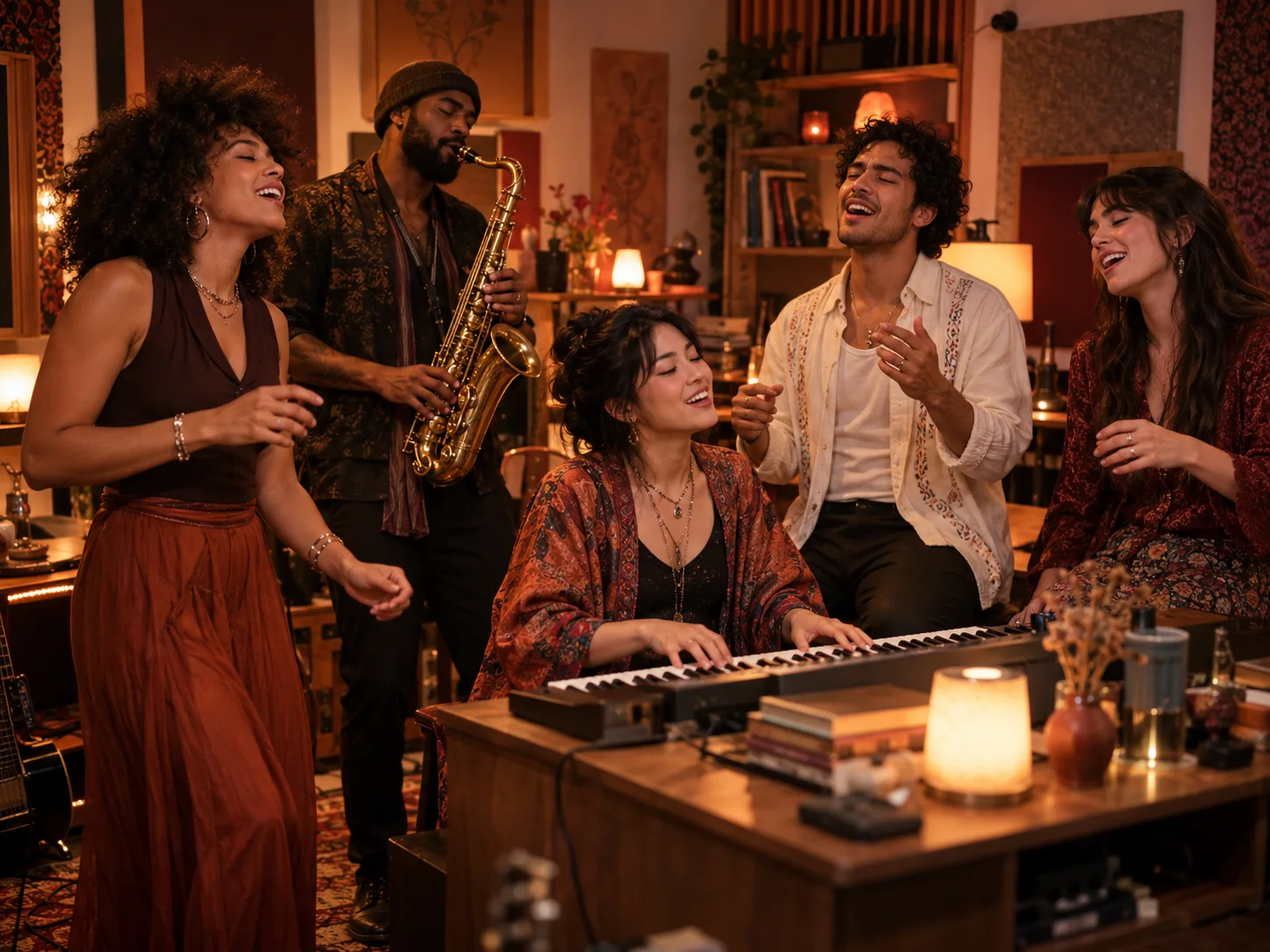
 0.000—5.000s
01
Start with the harmony
The keyboard player opens the performance with two backing singers. Their expressions and small rhythmic gestures set the mood before the camera changes.
YOUR PHOTOS. YOUR BAND. LIVELYREEL.
Turn your group chat into a studio band with LivelyReel’s Outstanding Tiny Desk AI generator. Start with one lead portrait or a group photo, assign your performers, and create a 15-second vertical video with a chorus, a joyful close-up and a saxophone finish.
Made from photos you have permission to use. Share your result as AI-generated.
See the performance format
A reference for the pacing and framing. Your result uses your chosen cast and newly generated audio.
View the source clip on TikTok ↗LIVELYREEL BAND STUDIO
Add the lead first, then cast any optional roles you want. Leave a role empty to keep its AI-generated template performer and outfit.
0/1200
15 seconds · 9:16 · 768p · 50 credits per generation
YOUR FINISHED CLIP
0.000—5.000sThe keyboard player opens the performance with two backing singers. Their expressions and small rhythmic gestures set the mood before the camera changes.
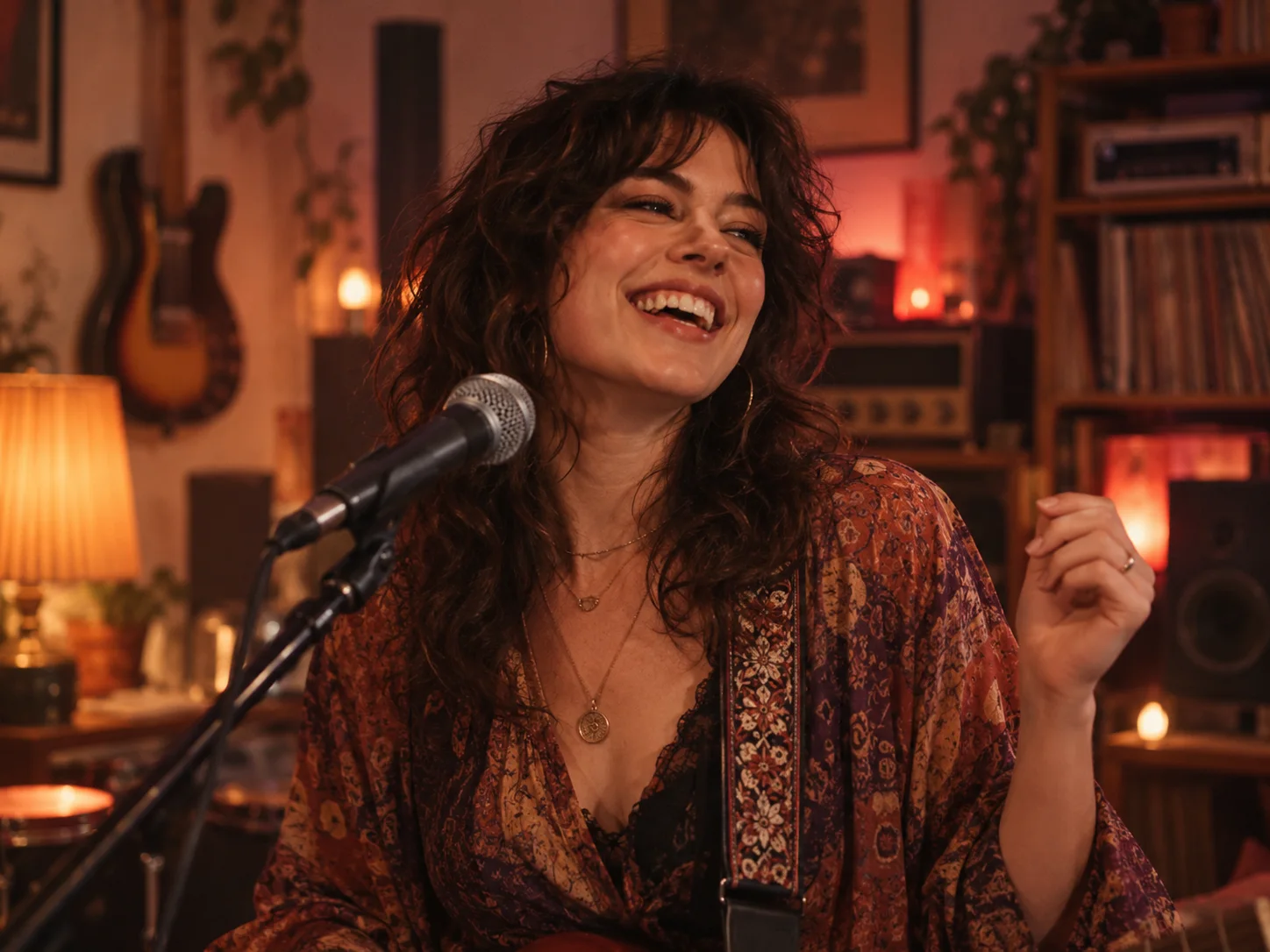 5.000—11.500s
The middle section moves in close: the lead sings, turns toward the viewer and breaks into a joyful laugh. Pick someone whose expression will make the moment land.
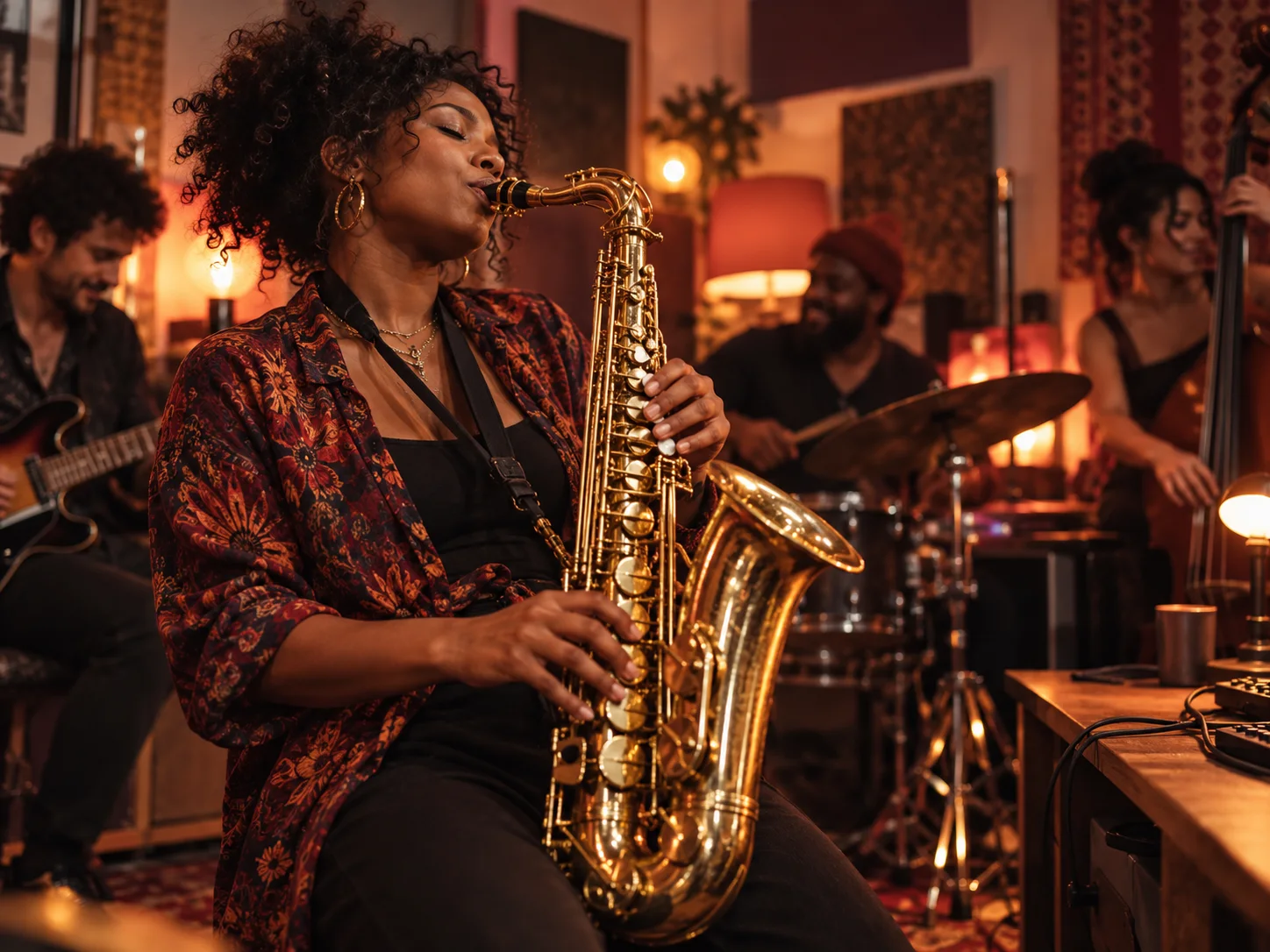 11.500—15.000s
One saxophonist closes the performance in a focused solo shot, with no keyboard player in the foreground.
THE CREATIVE DIRECTION
Upload your cast photos. We prepare three scene images, generate each performance separately, and assemble the finished clip automatically. No prompt writing or editing is needed.
0.000—5.000s
Start with the harmony
Opening ensemble: the keyboard player and two backing voices share the frame and carry the first vocal phrase.
5.000—11.500s
Give your lead the spotlight
Lead close-up: a turn toward the camera, expressive singing and a small wave as the phrase becomes a laugh.
11.500—15.000s
Let the sax close the show
Instrumental ending: the saxophonist alone carries the final musical phrase.
Prepare three scene images from the assigned cast photos, preserving each person’s face and outfit. Animate each scene separately against its matching reference video and audio. Opening, 0–5 seconds: the seated keyboard performer and two backing singers share the vocal performance. Middle, 5–11.5 seconds: the lead sings, smiles, laughs and raises a hand, following the reference performance. Finale, 11.5–15 seconds: only the saxophonist appears, playing with a focused expression. Assemble the three scenes with direct hard cuts. Preserve the supplied performance audio and timing; add no extra performers or text.
This is a creative overview. LivelyReel prepares the role references and timed frames automatically; you do not need to paste this text into the generator.
FROM PHOTO TO PERFORMANCE
Decide who gets which role. Separate portraits give you direct control; a group photo offers a quicker way to cast several people.
Add a clear lead portrait and any optional performers. In group mode, check the left-to-right role guide before uploading.
Confirm photo permissions and generate for 50 credits. We prepare three scene images, animate each with its matching performance reference, and assemble one 15-second portrait video at 768p.
Find the finished clip in My Videos and download the MP4 before its displayed expiry. Add an AI-generated label when sharing.
GET A MORE RECOGNIZABLE CAST
Choose an image where the person is easy to recognize at a glance. Face detail and visible clothing help the cast fit naturally into the studio scene; a complicated background is not needed.
Choose photos like these
Replace photos like these
BUILT INTO LIVELYREEL
This band format sits alongside your other LivelyReel creations. Spend credits from your existing balance, follow the generation in your video library, and download the finished performance from My Videos.
MAKE THE FORMAT YOURS
A band clip works best when the casting means something to the people watching. Put the quiet friend on lead vocals, give the office music fan the keyboard, or let the group's biggest personality take the sax finish.
Use separate portraits when everyone sent a different photo. Use group mode when you already have a clear picture together. Missing roles keep the scene's generated performers, so you can start with a single lead photo.
LivelyReel's Tiny Desk-style format is an independent AI creation tool. It has no affiliation with NPR or the artists and platforms associated with the reference clip.
READY FOR YOUR GROUP CHAT
Play the complete video with sound before sharing. Check the singing, expressions and musical transitions together, and use audio you are authorized to publish.
Keep captions short and away from the performers' faces. The lead reaction and sax ending are the visual payoff, so give them room on screen.
Send the download to the people featured before posting publicly. A clear AI-generated label helps everyone understand that it is a fictional performance.
Give it your own introduction
One lead portrait is enough in separate-photo mode. You can add a keyboard player, saxophonist and two backing singers, up to five portraits. Group mode uses one photo; roles without an assigned person retain the scene's generated performers.
This format is set to a 15-second, 9:16 vertical video at 768p. Those settings support its three-part performance; this generator does not offer alternate lengths or resolutions.
Use your existing LivelyReel account and credit balance. Each band performance costs 50 credits. The packs below are the same one-time packs sold elsewhere on LivelyReel.
The completed video appears in My Videos with its download and expiry information. Temporary input files are removed after generation completes or fails. Download any result you want to keep before it expires.
The three scenes use matching performance-video and audio references. Audio is generated with each scene, then kept when the scenes are assembled. Exact audio reproduction and lip sync can vary; preview your result before sharing.
LivelyReel returns the generation credits when a task fails. Check the status in My Videos before starting a replacement request.
No. The cast, shot sequence and music direction are already configured. You can add optional personal details in the form, then generate without copying the scene plan.
Simple video packs
Flexible credits for 5–15 second videos up to 2K. Pack equivalents are shown at the standard 15-second 720p setting.
Single Video
Try one complete generation
4 Video Pack
For a small batch of ideas
15 Video Pack
For campaigns and growing channels
25 Video Pack
Best value for active creators