 1
Start side by side
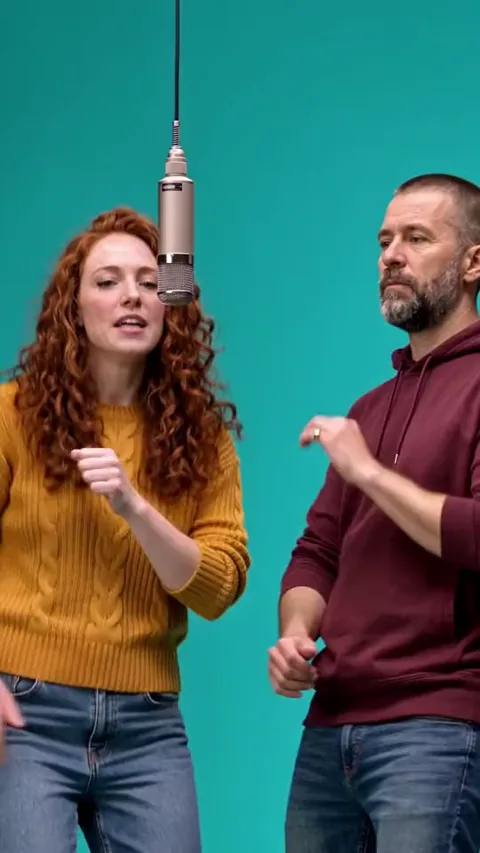
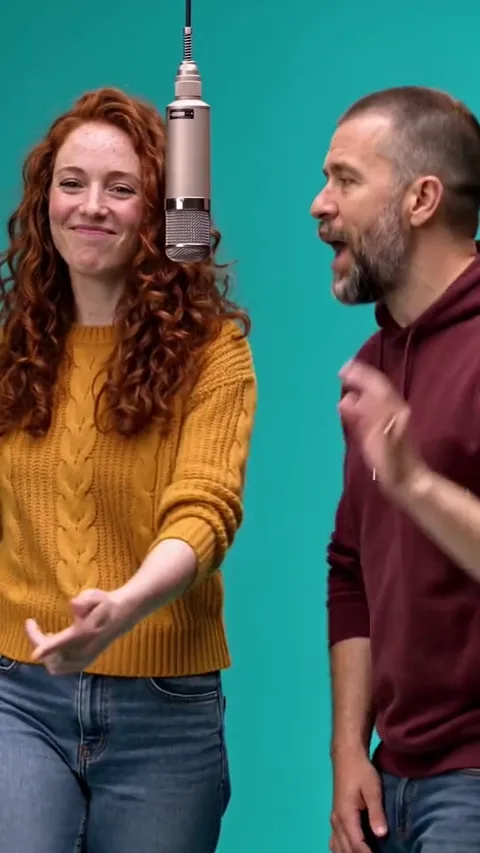
The left and right performers share the microphone in a medium shot. Their expressions and small hand movements establish the exchange.
Two photos. One hanging microphone. Make your own 58th Floor COLORS-style rap duet with yourself and a friend on the teal set. Follow the opening exchange, solo close-up and final shared groove, with the original reference music. No prompt to write.
Cast the two sides of the microphone
Photo 1 replaces the person on screen left throughout the duet.
Photo 2 replaces the person on screen right, including the solo close-up.
15 seconds · Vertical 9:16 · HD
Credits are returned automatically if generation fails.
The 58th Floor AI trend
The 58th Floor AI format puts two familiar faces into a stripped-back performance setting: a seamless teal backdrop, a low white platform and a single suspended microphone. The entertainment comes from the exchange between the performers, rather than a busy set or elaborate effects.
This two-person AI video generator follows the specific 15-second vertical reference shown above. It moves from a two-person medium shot to the right performer’s close-up, opens out to a full-body view and returns to the pair. Your two uploads determine the cast; they do not change sides when the camera changes.
 1
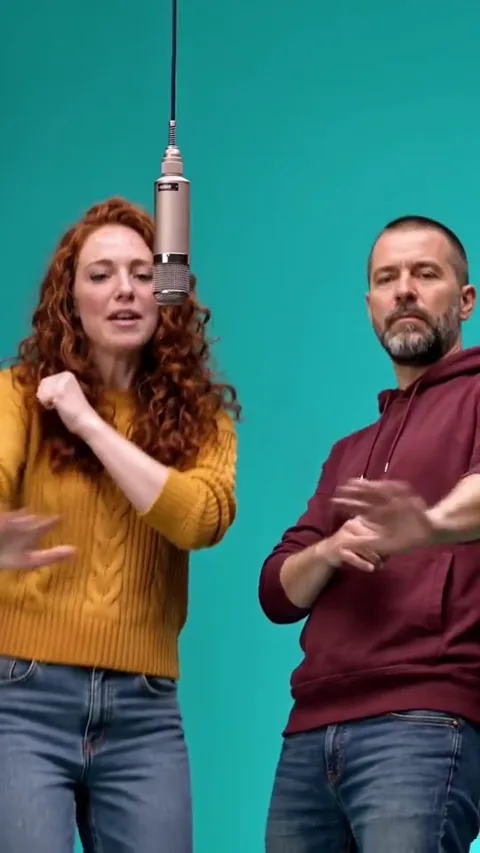
The left and right performers share the microphone in a medium shot. Their expressions and small hand movements establish the exchange.
2One performs while the other reacts. Nods, glances and gestures follow the reference instead of giving both people the same animation.
 3
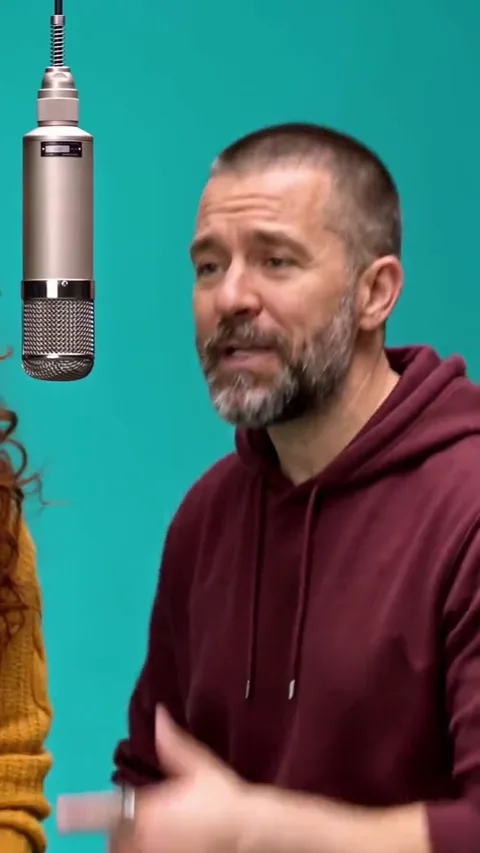
The camera gives the right performer a tighter view. The left performer must not become a second full face inside this crop.
 4
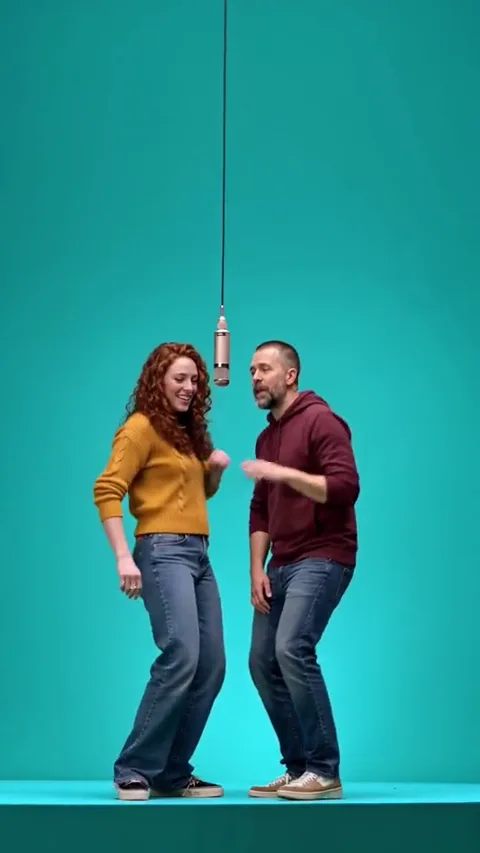
A wide shot reveals both full figures and the white platform, with a generous area of teal above the microphone.
 5
The medium two-shot returns. The same two identities carry the final looks, gestures and shared rhythm.
Reference details
These stills are extracted from the supplied reference video. They show the compositions this template follows; they are not new customer results or a promise that every generated detail will be identical.
A medium shot establishes the two separate positions.
The close crop belongs to the right-side upload.
Both outfits and the original left/right order remain visible.
The closing exchange reunites both performers around the mic.
How it works
Use this AI rap duet generator to cast yourself and a friend at the hanging mic. Choose two clear photos and check their positions; the reference provides the setting, gestures, camera changes and musical timing.
Left performer · requiredRight performer · requiredScene stills illustrate the roles in the supplied reference. Add your own two photos above; these are not before-and-after results.
Use separate, clear portraits. Upload the left performer in the left box and the right performer in the right box. Both photos are required.
The right-side person receives the tight solo shot. Make sure that upload is especially sharp and unobstructed.
Confirm permission and start with 50 credits. The template first prepares character keyframes, then creates the reference-guided performance with the source music.
Watch the result here or in My Videos. Download the MP4 within the free 24-hour storage window.
Photo guide
Choose one person per upload, with eyes, face and hair clearly visible. A chest-up photo also gives the template useful clothing information for the medium and full-body shots. The right performer’s face appears especially large.
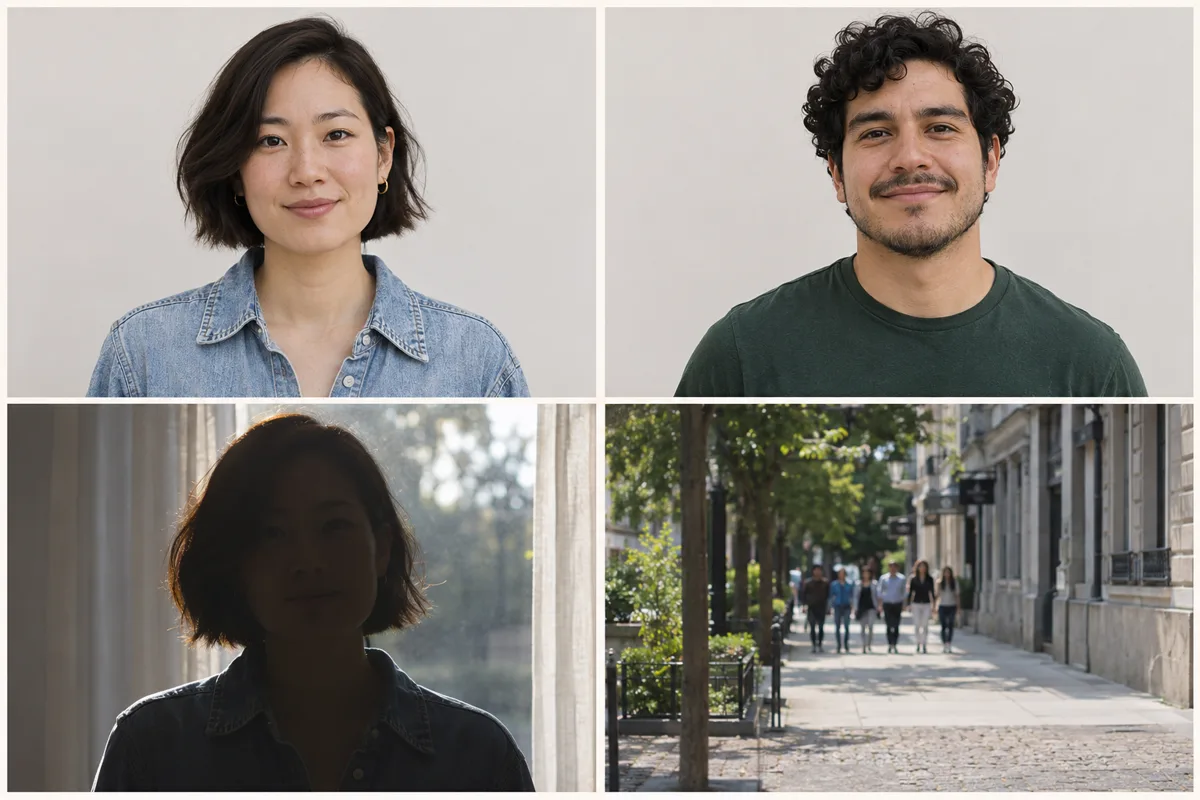
AI-generated guide images of fictional adults. They illustrate photo quality, not video results.
Sound, scene & background
The name refers to the song “58th Floor” by Anderson .Paak and Cordae and its A COLORS SHOW performance. That music context explains the duet and minimal studio styling. Our preview is the user-supplied remake shown above, not footage of the original recording artists.
Apple Music lists “58th Floor” on the collaborative album Heavy Is The Crown by Anderson .Paak and Cordae, released October 23, 2026. The song’s title names the track; it does not mean this template takes place in a skyscraper.
View the album on Apple Music ↗A dated listing of “Anderson .Paak & Cordae – 58th Floor | A COLORS SHOW” records the performance on October 30, 2026 and links to the video. The single-color studio and hanging microphone make the two-person delivery easy to recognize.
View the dated performance listing ↗AI template pages describe recreating the teal-studio exchange with two uploaded identities. This documents the format’s use as a photo-to-video idea; it does not establish who made the first AI remake or when the trend first went viral.
Read an example of the trend format ↗This page follows the supplied 15-second vertical remake: left/right medium shots, a right-side close-up and a wide view on the platform. The reference is separate from the historical performance and is the timing guide for your video.
Return to this template ↗The original artists and COLORS are not affiliated with LivelyReel. We do not claim to identify the first viral post or the creator of the supplied remake. Music and source-material rights remain separate from AI generation.
Quick fixes
Check the upload labels. Photo 1 is always the screen-left performer; Photo 2 is always the screen-right performer and receives the tight close-up. Do not reverse the uploads to match an assumed gender or voice.
Try a sharper photo with the eyes and face unobstructed. Avoid distant group shots and strong filters.
Choose a JPG or PNG under 10 MB. Export an iPhone HEIC image as JPG first.
A failed generation returns its credits automatically. Check My Videos for its final status before starting again.
Ready to share
Add an original caption about your two-person performance rather than copying the song’s lyrics. Listen to the finished clip and check the crop before sharing.
Tag the people you featured if they want to be tagged.
Use the AI-generated content label when sharing on a platform that provides one.
Post the 9:16 frame without cropping out either performer. Check the full-body view and microphone position. Use music only where you have the necessary rights.
One video, one payment
Buy this video directly on this page, or use your existing LivelyReel credits. The same 50-credit generation applies to both routes.
One-time payment · no subscription
The 58th Floor AI trend turns uploaded photos into a rap duet inspired by Anderson .Paak and Cordae’s A COLORS SHOW performance. This template follows the specific 15-second reference above: a teal studio, two performers, one suspended microphone and the reference music. LivelyReel is an independent tool, not an official COLORS product.
Photo 1 replaces the screen-left performer. Photo 2 replaces the screen-right performer, including the tight solo close-up. Upload one person per photo. Both are required; roles never depend on gender or ethnicity.
One generation uses 50 LivelyReel credits. You can buy one video here for $9.90 or use an existing balance. Failed generations return their credits automatically.
The original reference audio is retained in the delivered MP4. The reference video and aligned audio guide each performer’s gestures, speaker turns and lip timing. Exact frame-by-frame mouth movement is not guaranteed by generative video.
People sometimes call the photo-to-video trend the “58th Floor AI filter.” On LivelyReel, it is a browser-based video generator: upload two photos to create a new duet, without recording yourself or installing a filter. You do not need to write a prompt. It is not an official TikTok effect or COLORS tool. After payment, return here, check your photos and press the generation button.
Draft photos stay in this browser until you generate. Submitted images are moderated and processed by our generation providers. Temporary server inputs are cleaned up after delivery; finished videos are stored free for 24 hours. Download your MP4 before that window ends.