 1
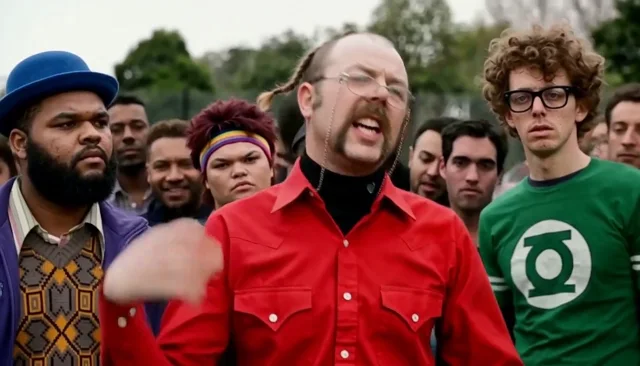
The group locks into frame
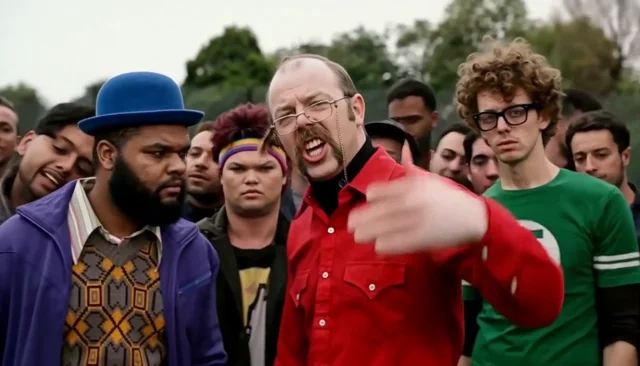
All four foreground roles are visible from the start, with the central performer leading the group and the crowd filling the park behind them.
ONE GROUP SHOT. UP TO FOUR RECAST FACES.
Turn your photos into a group-performance edit inspired by the Stormzy Shut Up trend. Upload the required central lead and up to three optional people, then let LivelyReel follow the reference actions, timing and source audio.
Choose the four foreground roles
The central performer. This upload is required and drives the main singing gestures.
The performer on the right side of the group. Leave empty to keep this source role unchanged.
The performer at the far left. Leave empty to keep the source appearance.
The performer just left of the central lead. Leave empty to keep the source appearance.
About 10 seconds · landscape 16:9 · HD 768p · original reference sound
Credits return automatically if final generation fails.
THE GROUP PERFORMANCE, BEAT BY BEAT
These stills come from the completed AI-generated example above. They show the same group arrangement, shared gestures, central performance and original soundtrack timing used by the template.
1All four foreground roles are visible from the start, with the central performer leading the group and the crowd filling the park behind them.
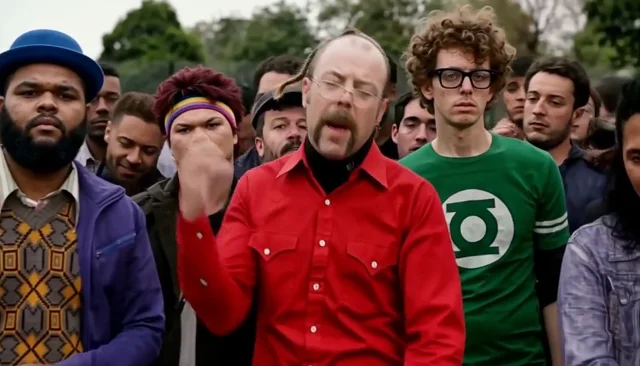 2
The central performer drives the first broad arm movement while the neighboring group members react and keep their positions.
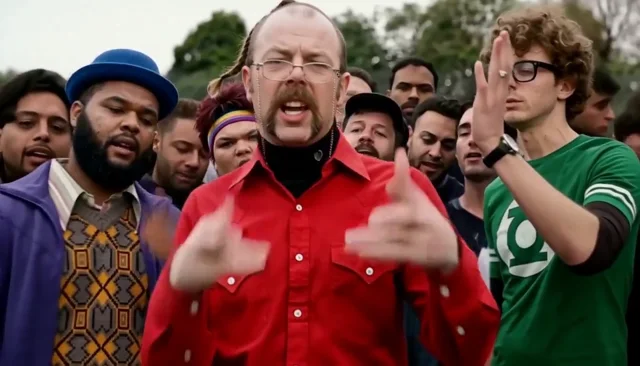 3
The right and far-left performers become active as the shared group rhythm expands across the frame.
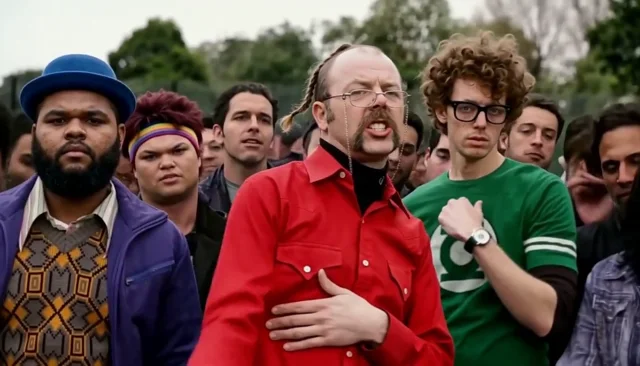 4
Hands, head turns and mouth movement follow the supplied source timing. Uploaded identities must remain stable through the most active gestures.
 5
The edit ends on the same four-person arrangement, preserving the original performance energy instead of adding a new pose or scene.
INSIDE THE REFERENCE
The completed example shows the framing, group order and movement. Uploaded photos define the face, hair and visible outfit for each assigned role.
FOUR SLOTS. NO AMBIGUOUS CASTING.
Upload slots are tied to fixed positions and clothing colors. Leaving an optional slot empty keeps that source person instead of moving another uploaded face into the role.
The central performer carries the clearest gestures and must be replaced with your first upload. Their outfit comes from that uploaded photo.
This performer stands to the lead’s right. Add a portrait to recast the position; otherwise the source person remains.
This performer appears at the far left of the main group. It is a separate optional identity, never a second version of the central lead.
This role sits between the far-left and central positions. Add only this person’s portrait when you want to replace that performer.
NO PROMPT WRITING REQUIRED
Add the mandatory portrait for the central role. Then fill any optional right, far-left or left-center slots you want to recast.
LivelyReel prepares one shared opening frame, placing every uploaded identity into its labeled position while preserving anyone you left out.
The finished frame, reference movement and soundtrack are combined into one generated video. The result is trimmed to about 9.75 seconds, stored in My Videos and available for 24 hours.
PORTRAITS THAT HOLD THEIR SHAPE
Every upload represents one person in one fixed position. Choose simple, well-lit portraits with a clear face and hairline so the opening-image edit has reliable identity detail to carry through the movement.
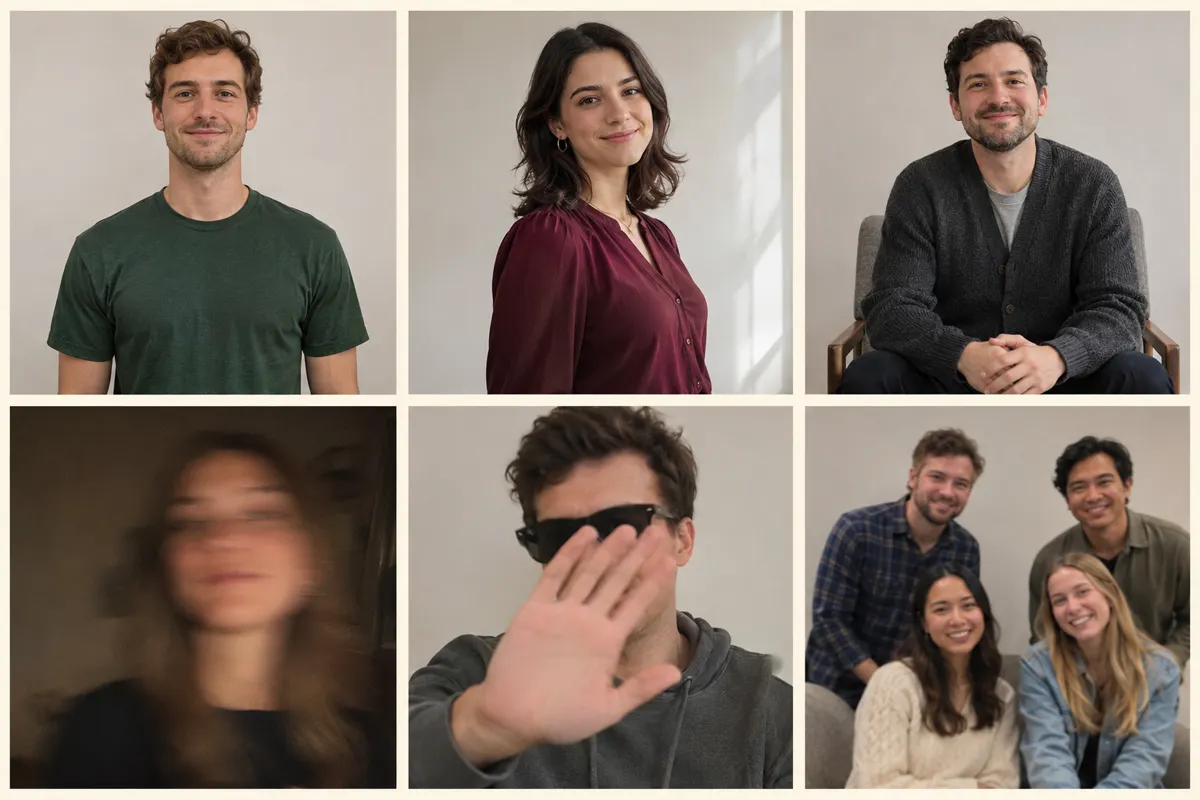
Example illustrations for the photo guide, not customer uploads or generated video results. The four upload positions are independent; each selected photo replaces only its assigned person.
WHY THE EDITS KEEP USING THIS MOMENT
Stormzy’s “Shut Up” began as a 2015 freestyle over XTC’s “Functions on the Low” and became a UK Top 10 single later that year. This page uses a separate group recast-style reference; it does not claim that the preview is the official Stormzy music video.
Contemporary coverage described the original video as a South London park or car-park freestyle with Stormzy and a supporting group. It quickly became one of the defining clips in his early rise.
May 2015 report: The Fader ↗The studio recording appeared on the WickedSkengMan 4 release, making the freestyle available as a formal single while preserving the vocal hook that made the clip recognizable.
Release listing: Apple Music ↗A fan campaign helped the independently released track climb into the UK Top 10 during the Christmas chart week. Official Charts lists its peak position as number 8.
Chart record: Official Charts ↗LivelyReel uses the supplied group-performance reference and lets your photos replace the foreground roles. It is an independent creative tool, not an official Stormzy product or endorsement.
We separate the documented history of the song from the community-style group reference shown here. We do not claim a first viral uploader, exact first edit date, licensed soundtrack or affiliation with Stormzy.
The group stays in one clear arrangement, so one edited opening frame can carry four identities into the video generation process. The reference then supplies the shared gestures and performance timing, while original delivery restores the source audio instead of inventing a new voice.
BEFORE YOU TRY AGAIN
Check the position labels before submitting. Red is central and required, green is on the right, left is the far-left purple jacket and glasses is left-center. Do not reorder the upload files to solve a photo-lighting problem; change the photo inside the intended slot.
This can happen if a replacement is small, blurred or strongly occluded. Try a sharper portrait with the full face visible. Recasting four people also means every optional slot needs its own separate photo; one upload cannot safely replace a person you left unassigned.
LivelyReel uses the edited opening frame with the complete reference video and aligned audio. The generation follows that motion, but results can still vary in hand shapes, identity consistency and fine lip movement. Review the downloaded MP4 before posting.
The source is 9.79 seconds. LivelyReel generates a short ending hold, then trims delivery to 9.75 seconds without stretching the performance. If the player looks frozen for the final fraction of a second, open My Videos for the finished MP4.
READY TO POST
Describe the photo recast or the group’s reaction. Do not present the clip as official Stormzy footage or imply that a real artist performed it with your friends.
Say that the people were inserted with AI and keep the result clearly separated from official music-video content.
Use the platform’s AI-content label where available and get permission from every person whose photo you upload.
The downloaded file is landscape 16:9. Restoring the reference soundtrack does not grant music-copyright permission; check rights for your intended use before publishing.
It is an independent photo-to-video tool that recasts a four-person group-performance reference. The central role is required and up to three more people can be added as optional roles. LivelyReel prepares one edited first frame, then follows the reference motion and original audio.
At least one: the central lead. You may upload three more separate portraits for the right-side, far-left and left-center performers. If an optional slot is empty, that source role stays unchanged.
No. All selected portraits are combined into one exact opening-frame edit. That single finished frame, the complete source video and synchronized audio are used together for the final generation. This is the intended design for this short group scene.
The source video guides the crowd spacing, group gestures, head turns, expressions and timing, while delivery restores the original AAC source track. Generative video can still change hand details, facial consistency and fine lip movement; it does not create an exact frame-for-frame copy and does not clone a voice.
One video is $5.90 through this page and supplies 30 LivelyReel credits. Signed-in users can also spend 30 existing credits. There is no subscription or package selector, and failed final generation refunds the spent credits.
No. LivelyReel is not affiliated with Stormzy, his label, the official music video or any performer in the supplied reference. Do not use the result to impersonate Stormzy or imply an endorsement. Use photos you have permission to depict and check sound rights before publishing.
ONE GROUP EDIT. ONE PURCHASE.
One fixed landscape group edit with no technical options, prompt writing or package selection.
One-time purchase · no subscription
Independent fan-inspired AI template. Not affiliated with Stormzy, his label, the supplied reference, its performers or rights holders. The preview and stills show a completed AI-generated test result, not an official music video. AI results vary; use only photos and audio with the necessary permission.
Browse the full template library