 1
01 · The opening remark
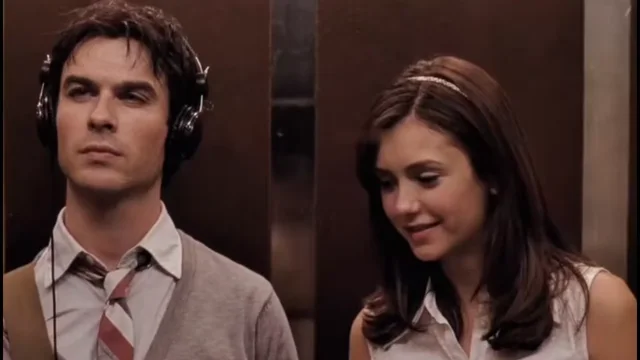
Both people share the elevator frame. The right person initiates the exchange while the left person is still wearing headphones. Each upload stays in its own role.
Two photos. One shared music taste. Put yourself and a friend into the I Love The Smiths elevator exchange, with the headphone gesture, shy reaction and original dialogue from this reference. No filming or prompt writing required.
Who is in your elevator scene?
Photo 1 replaces the person on the LEFT, who lowers the headphones and reacts.
Photo 2 replaces the person on the RIGHT, who starts the conversation. Upload order fixes the roles.
About 14 seconds · Landscape 16:9 · HD
Credits are returned automatically if generation fails.
The elevator meet-cute
A small remark about a band becomes a whole reaction. One person stands on the left wearing headphones; the person on the right recognizes the music and starts talking. The headphone removal, sideways glance and change of expression make the exchange work even before you add your own caption.
This template recreates the supplied 13.63-second landscape scene in three connected parts. Your two portraits first become one shared opening frame. Each new part starts from the previous part’s final kept frame, while the original portraits help keep both people recognizable. The parts are joined in order with the reference’s original sound.
 1
Both people share the elevator frame. The right person initiates the exchange while the left person is still wearing headphones. Each upload stays in its own role.
 2
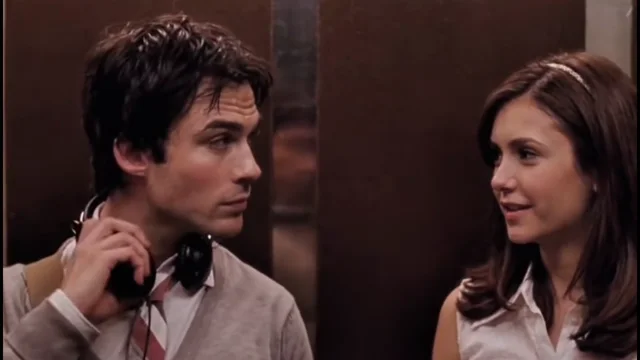
The left person lowers the headphones and turns toward the right. Hand contact, headphone position and that slight pause are part of the reference movement.
 3
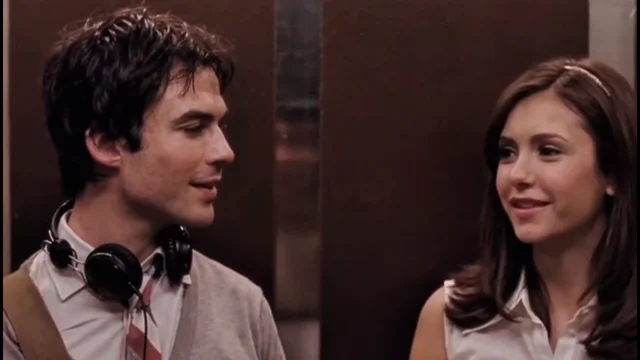
The exchange continues through glances, mouth movements and a smile. The animation follows the original speaker turns, rather than having both people speak at once.
Freshly made illustrative examples
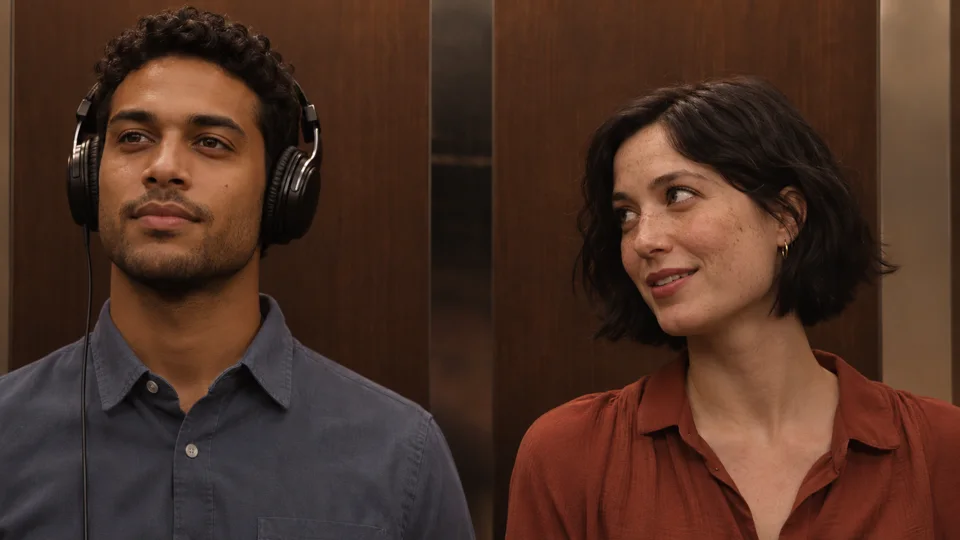
These new images use two fictional adults to illustrate the casting idea. They are not tested customer video results. The separate supplied reference above shows the actual motion and dialogue this template follows.
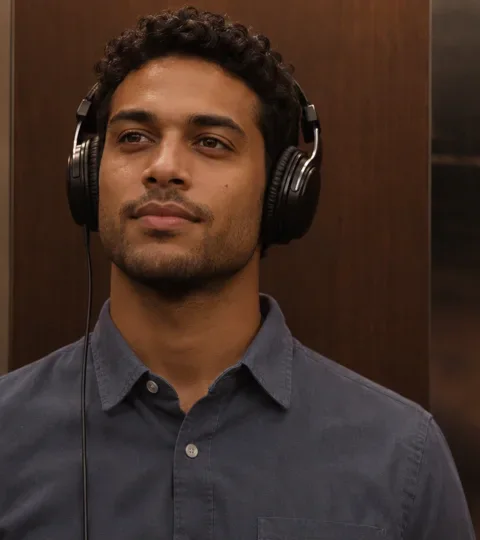
Your first portrait supplies the left person’s identity, hairstyle and visible outfit. The headphones remain a scene prop.

Your second portrait supplies the right person. The role belongs to this upload slot, regardless of the person’s gender or appearance.
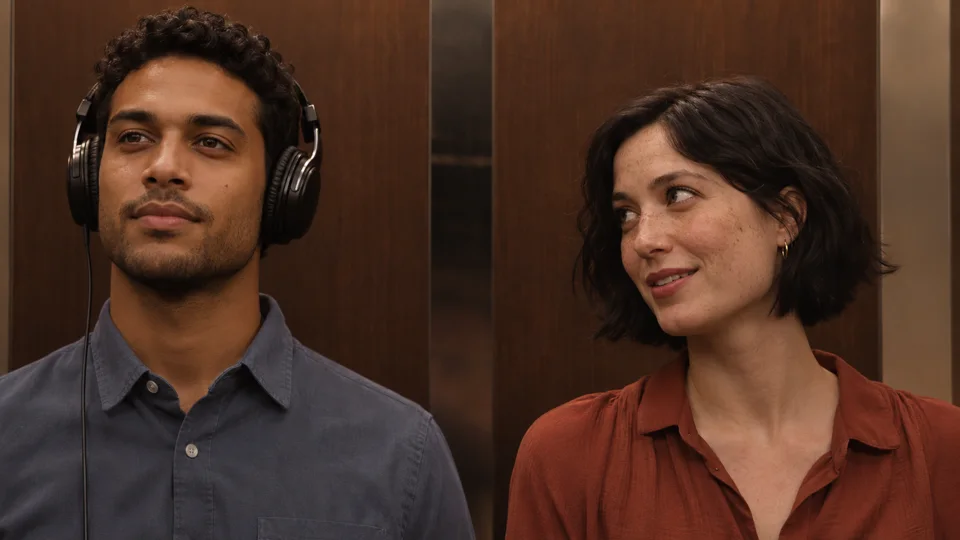
The final opening image holds both recast people together, with the original left/right layout, brown wall panels and warm lighting.
Two photos to one scene
Choose one portrait for the listener and one for the conversation starter. You do not need to pose together or photograph an elevator.
Two portraits → one shared opening frame → three connected parts → your complete elevator conversation. The joins and original sound are handled automatically.
Upload a clear adult portrait into each labeled slot. Photo 1 is the left headphone listener; Photo 2 is the right conversation starter. You can use any two consenting adults.
One image-generation step combines the reference’s opening scene with both portraits. Photo 1 replaces the left listener and Photo 2 replaces the right speaker. The result is one complete frame containing both people.
Generate with 40 credits. The scene is created in three short parts, one after another. Each part’s final frame guides the next opening, with both uploaded identities kept as references. The parts are automatically joined in order and the original sound is restored.
Review both faces, the hand and headphones, and the mouth timing. Your video appears here and in My Videos. Download the MP4 before its free 24-hour storage expires.
Photo guide
Use one person per photo, with the face, hair and shoulders visible. Headphones and an elevator background are not needed in either upload; the reference supplies the scene and prop.
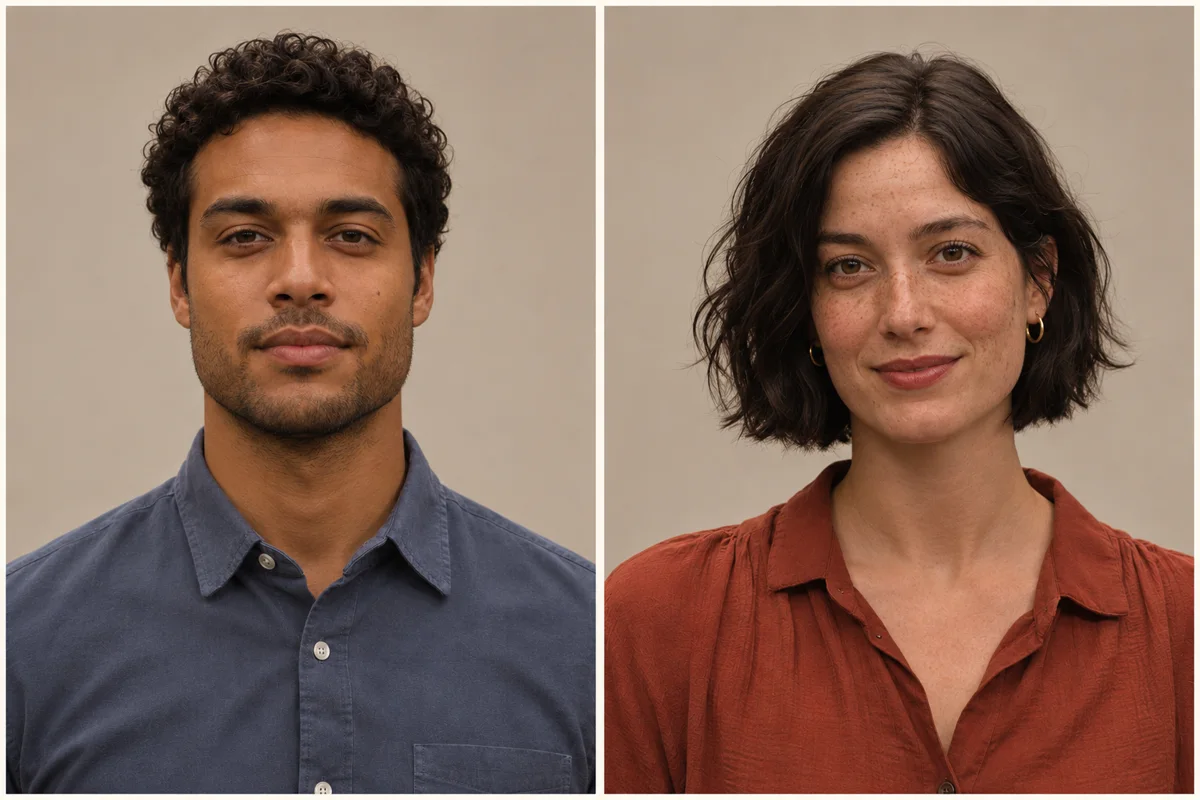
New illustrations of fictional adults, made only as photo guides. They are not customer portraits or tested video results.
Where the line comes from
The phrase comes from the elevator exchange between Tom and Summer in (500) Days of Summer (2009). The original film stars Joseph Gordon-Levitt and Zooey Deschanel and was directed by Marc Webb. The supplied clip on this page is a recast edit of that recognizable exchange; its visible people are not presented as the original film cast.
Searchlight’s official film page identifies the director and original cast and describes Tom looking back over his relationship with Summer. That is the film context behind the scene, rather than a separate television-show storyline.
Official film page · Searchlight ↗The screenplay places Tom in an elevator listening on headphones. Summer recognizes the band, he removes the headphones, and their short exchange turns on that shared interest. The published draft supports the scene’s origin; it is not a source for a modern social-media upload date.
Read the screenplay · elevator scene ↗The scene is associated with The Smiths’ There Is a Light That Never Goes Out. A producer interview discussing the song also describes its place in the film’s elevator encounter. This template preserves the audio from the supplied edit rather than composing a different song or cloning your voice.
Song context · producer interview ↗The current AI format lets two uploaded people take the two roles while keeping the recognizable elevator staging and reaction. This page does not claim a verified first AI creator, launch date, view count or official partnership.
Make your version ↗LivelyReel is independent of the film, its cast, The Smiths and social platforms. Source links document the scene’s background; they do not imply an endorsement. The preview is a supplied reference edit. Guide images are newly created illustrations.
Before you post
Choose a sharp portrait with a larger visible face, clear hair and natural lighting. Avoid beauty filters and extreme angles. Check both roles in the result, especially when the listener turns sideways.
The first upload belongs to the left headphone listener and the second to the right conversation starter. Check the labels before you generate. Both the first-frame instructions and video instructions specify these fixed roles; do not request a role swap in the optional details.
The small central overlay is removed from the prepared reference and opening-frame canvas. Both image and video instructions also require a blank background with no watermark, handle or captions. Review the final result because generated visual artifacts can still occur.
A retrying request remains in progress and shows a retry notice in your language. Completed parts and continuity frames are kept when only the current part needs another attempt. Check My Videos before sending a new request. Credits are returned on final failure.
Ready for your caption
The tiny pause and reaction carry the scene. Keep both people visible and use a caption about a shared favorite, an unexpected connection or an inside joke.
Use photos of yourself and another adult who agreed to be included. Tag them only if they want to be tagged.
Use the platform’s AI-generated content label when it provides one.
Preserve the landscape 16:9 frame so neither person nor the headphone gesture gets cropped away. Check permission to use the supplied audio wherever you post.
One short video
Buy one video directly on this page, or use 40 credits from your existing LivelyReel balance. No subscription or package selection.
One-time payment · no subscription
It casts two uploaded people in the elevator scene. Photo 1 becomes the left headphone listener and Photo 2 the right conversation starter. After creating one shared opening image, the scene is generated in three connected parts, using each preceding part’s final frame to continue the next. The result is joined with the original reference sound.
The exchange comes from (500) Days of Summer (2009), directed by Marc Webb, with Joseph Gordon-Levitt as Tom and Zooey Deschanel as Summer. The preview here is a recast reference edit, not a claim that its visible people are the original film cast.
Upload two separate adult portraits, one for each labeled role. One video costs $7.90 through this page, or 40 LivelyReel credits from an existing balance. Credits are returned automatically if generation finally fails.
The source video guides each person’s speech timing, glances and headphone gesture. Delivery restores the original source audio. It does not clone your voice or create new dialogue. Lip, face and hand details can vary, so review the result before sharing.
The small source overlay is removed from the prepared reference, and the image/video instructions exclude watermarks and handles. Generated artifacts can still occur. LivelyReel is an independent tool and is not affiliated with the film, cast, band or social platforms.
Your draft stays in this browser until you submit it. Submitted photos are moderated and processed by our generation providers. Temporary inputs are cleaned up after delivery, and completed videos are stored free for 24 hours. Download your MP4 before it expires.