 1
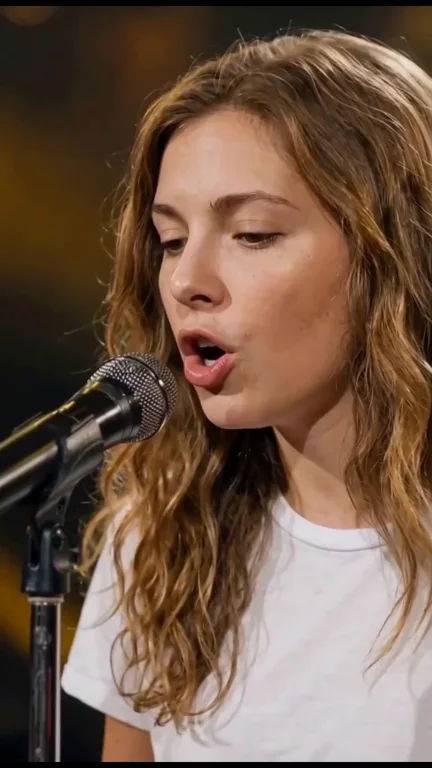
01 · Opening close-up
A tight face-and-microphone shot establishes your singer. The microphone partially covers the mouth, so the angle and occlusion matter as much as the face.
Your face, a spotlight and a concert-hall stage. Turn one photo into a Training Season AI singing performance with expressive close-ups, microphone gestures and sweeping Royal Albert Hall-style views. The reference sets the sequence and original music.
Choose who takes the spotlight
One clear photo replaces the lead singer across every performance shot. The orchestra and audience stay in the background.
About 14 seconds · Vertical 9:16 · HD
Credits are returned automatically if generation fails.
The Training Season AI performance
The Training Season AI format casts your photo in a concert edit built around a standing microphone, warm amber lighting and an orchestral stage. The appeal is the change in scale: a face fills the frame, a gesture reveals more of the singer, and a wide view opens up the whole hall.
This version follows five supplied clips, about 13.8 seconds in total. Four singer clips are recreated separately from their own opening frame, while the third clip keeps the original hall view. They are joined in their original order. Only the main singer is recast; musicians and audience remain part of the setting.
 1
A tight face-and-microphone shot establishes your singer. The microphone partially covers the mouth, so the angle and occlusion matter as much as the face.
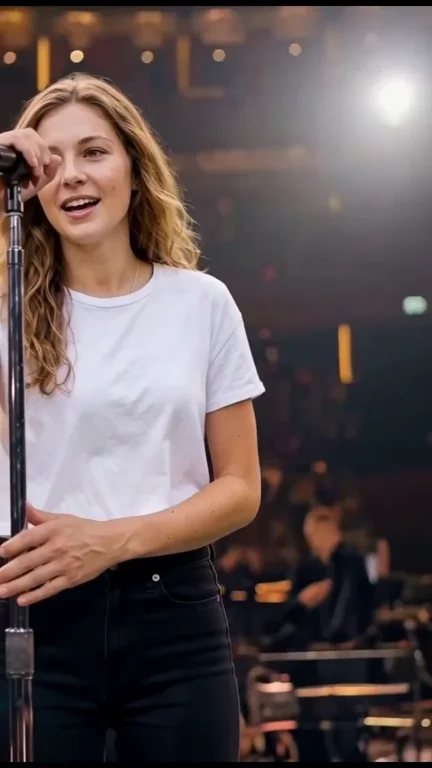
2The medium shot shows the singer reaching toward the microphone and stand. Hands, equipment and facial identity need to agree as the framing changes.
 3
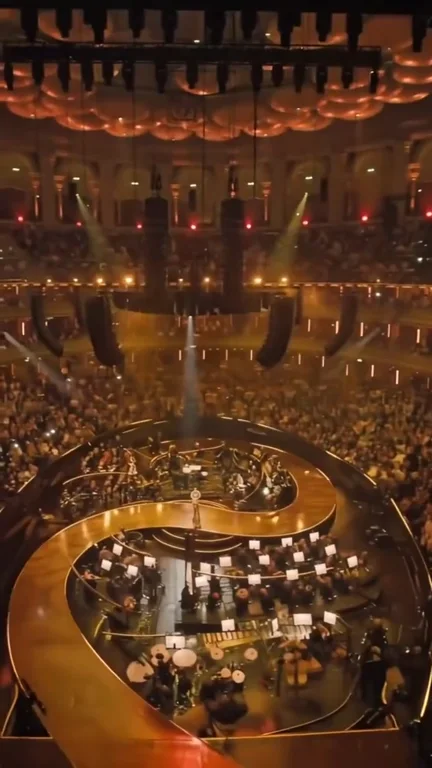
The brief overhead hall clip is kept unchanged and inserted directly between clips 02 and 04. It does not use a generated keyframe or a video-generation request.
 4
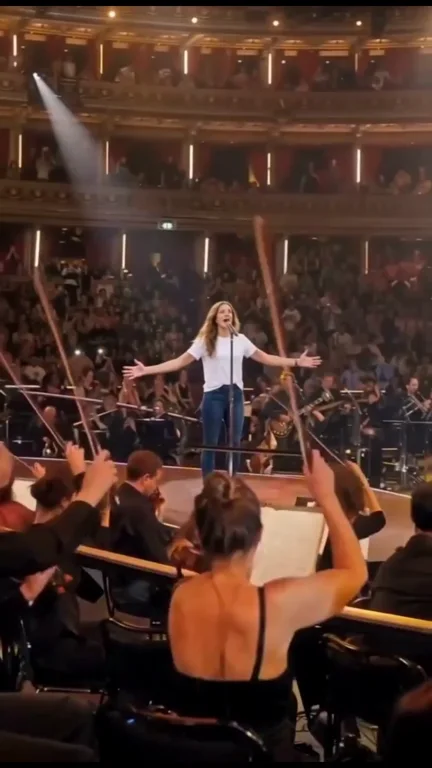
The singer appears small at center stage behind the foreground players. The cast change stays on the singer, without turning an orchestra member into the lead.
 5
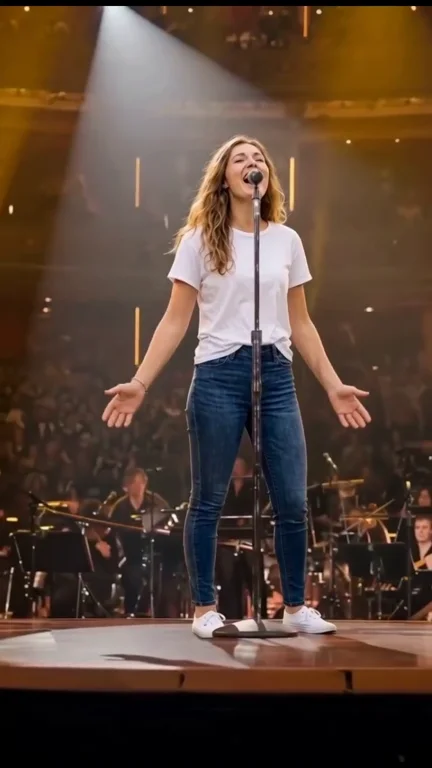
The full-body shot establishes the stance, open-arm gesture and spotlight. Your singer keeps the same identity and visible outfit at this wider scale.
Reference details
These frames are extracted from the LivelyReel-generated video above. They show one completed result across the five clips. Facial, hand and background details can vary in other outputs.
Face, mouth and microphone establish the performance.
Clip 02 follows its own first-frame singer image and performance reference.
Clip 04 changes only the distant lead singer, preserving the foreground orchestra.
Clip 05 starts from the supplied open-arm first frame and follows its own source movement.
How it works
Choose your singer. The reference supplies the concert setting, edit rhythm, microphone actions and musical timing, so there is no performance to film or prompt to write.
One portrait supplies four opening-frame singer images. Each image is paired only with its corresponding clip; the original hall interlude is inserted without AI generation. No new singing voice is cloned from your photo.
Choose a sharp chest-up image with your face, hair and some clothing visible. A frontal or gentle three-quarter angle is best for the close-up.
This is a single-singer template. You do not need photos for the orchestra, audience or venue, and those people are not assigned your face.
Confirm permission and generate with 50 credits. Four first-frame images establish your singer for clips 01, 02, 04 and 05. Each clip follows its own video and audio reference; clip 03 stays unchanged. The five clips are then joined in order.
Review the close-ups and wide shots here or in My Videos, then download the MP4 before the free 24-hour storage window ends.
Photo guide
Mouth shape, eyes and head angle carry this performance. Use a photo where the face is unobstructed and easy to recognize; visible shoulders and clothing also help the wider shots stay consistent.
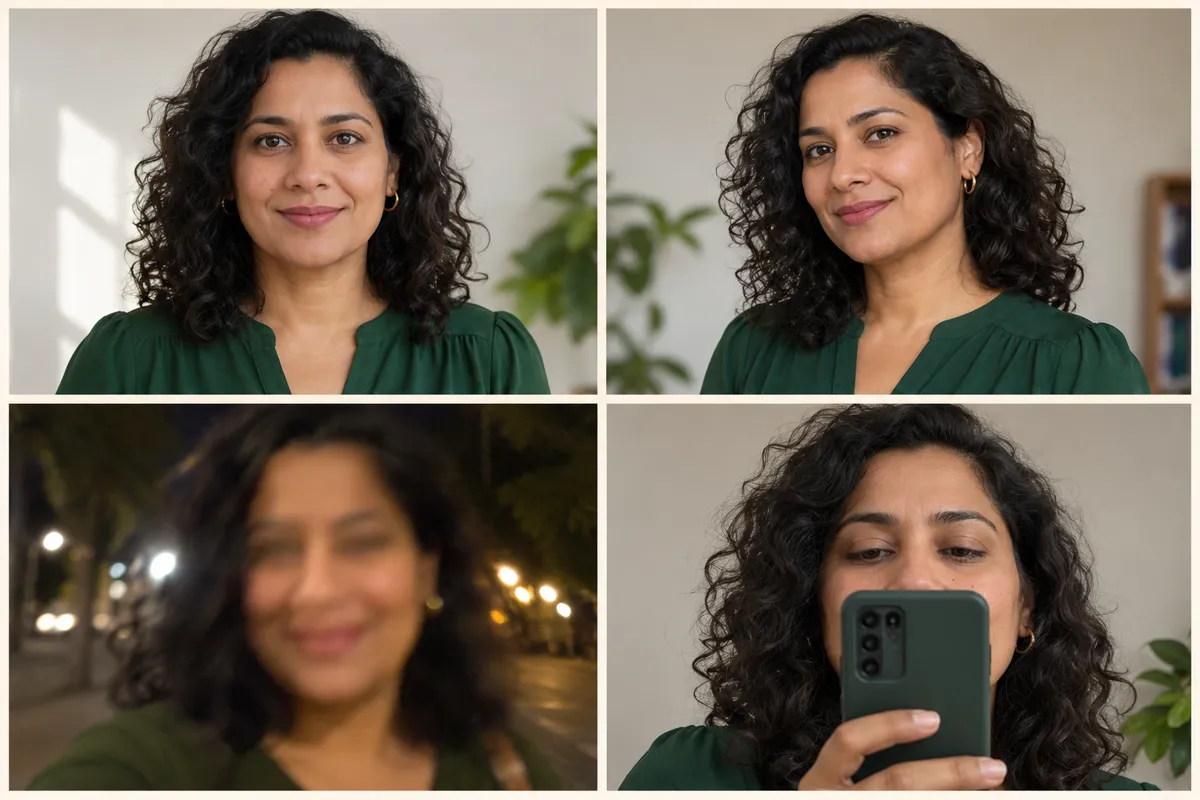
AI-generated guide images of fictional adults. They illustrate photo quality, not video results.
The music and the venue
Training Season is a Dua Lipa song, and the Royal Albert Hall connection comes from her orchestral concert and live album. That original event is distinct from the supplied AI-edited remake on this page. The sources below explain the concert context without attributing this remake to the original artist.
Royal Albert Hall’s performance archive records Dua Lipa’s October 17, 2024 appearance. The venue is the historical concert setting associated with this search, rather than a generic AI-generated theater.
View the venue archive ↗ITV’s announcement confirms the concert recording date and describes the Heritage Orchestra conducted by Ben Foster, a choir and the artist’s band. The orchestral staging explains the rich concert-hall look that later remakes reference.
Read ITV’s concert announcement ↗Warner Music Japan’s official album page includes Training Season (Live from the Royal Albert Hall) and lists its CD/vinyl edition for December 13, 2024. That is the listed edition date, not a claim about the first AI remix or every streaming release.
View the official live-album track list ↗This version follows five supplied clips totaling about 13.8 seconds. Four singer segments are visually recast and the brief hall clip is kept unchanged. The first creator and first viral upload of the underlying remake have not been verified.
Return to the Training Season generator ↗LivelyReel is independent of Dua Lipa, Royal Albert Hall and the original production. The preview shows an AI-generated LivelyReel result, not an endorsement or proof of a live appearance. Original audio rights remain separate from AI generation.
Quick fixes
Use one sharp, lightly edited portrait with the face clearly visible. Strong filters, extreme angles or a tiny face make it harder to carry the same identity from close-up to full-body views.
Some occlusion belongs to the reference. The goal is natural contact and timing, not removing the microphone. Choose an input with the lips visible so the model has a clear starting reference.
Choose a JPG or PNG under 10 MB. Export an iPhone HEIC image as JPG first.
A failed generation returns its credits automatically. Check My Videos for its final status before starting again.
Ready to share
Give the performance a personal introduction without copying the song’s lyrics. Check the mouth timing, hands and identity across the cuts before sharing.
Use a portrait you have permission to feature and tag the person only if they want to be tagged.
Use the AI-generated content label when sharing on a platform that provides one.
Keep the full 9:16 composition so the microphone, open-arm gesture and venue views remain visible. Use the music only where you have the necessary rights.
One video, one payment
Buy this single video directly on this page, or use 50 credits from your existing LivelyReel balance. No subscription is required.
One-time payment · no subscription
It is a photo-to-video singing format inspired by the concert presentation associated with Training Season. This generator uses the supplied Royal Albert Hall-style remake to cast your photo as the main singer, while following its edit rhythm and reference music.
One clear portrait of the main singer. The same uploaded person appears in all singing shots, including the small figure in the orchestra-wide view. The audience and musicians are not recast.
One video costs $9.90 through this page’s single purchase, or 50 LivelyReel credits from an existing balance. Failed generations return their credits automatically.
Each generated clip follows its own reference video and aligned singing audio. Its original audio is restored before the five clips are joined in order, including the unchanged third clip. This is visual recasting, not a new voice recording or voice clone; exact lip matching is not guaranteed.
No. Dua Lipa’s Royal Albert Hall concert is the historical context. The preview shows a completed LivelyReel AI-generated result based on an uploaded photo. LivelyReel is not affiliated with the artist or venue.
Draft photos stay in this browser until you generate. Submitted images are moderated and processed by our generation providers. Temporary server inputs are cleaned up after delivery; finished videos are stored free for 24 hours. Download your MP4 before that window ends.