The van singalong · Example 01
By @viral.dancing.fev
Loading TikTok preview…
TWO SEATS. ONE UNFORGETTABLE SINGALONG.
Your face. Your favourite person. That van singalong. Recreate Two Blokes 'Singing' in a Van with one photo for the passenger, or add a second to bring a friend into the driver's seat—complete with David Morales – Needin' U.
No prompt to write · No editing experience needed
Who is singing in your van?
Required. Replaces the foreground singer on the RIGHT.
Optional. Replaces the driver on the LEFT. Leave empty to keep the reference driver.
10 seconds · 4:3 landscape · HD 768p · Original reference audio
Credits returned for confirmed generation failures.
SEE THE VAN SINGALONG IN THE WILD
Watch these two community examples from @viral.dancing.fev. Notice the close cabin framing, expressive faces and shared singalong—the details that make this scene instantly recognisable.
By @viral.dancing.fev
Loading TikTok preview…
By @viral.dancing.fev
Loading TikTok preview…
These are third-party TikTok posts, not LivelyReel customer results. If an embedded player does not load, open the original post above.
2 MEN IN A VAN · YOUR OWN DOUBLE ACT
It starts as an ordinary ride. Then the expressions get bigger, the hands join in, and two people turn the front of a van into their own tiny stage. That contrast is the whole joke: a completely everyday setting and an absolutely committed performance.
Looking for the two men in a van singalong? The Man in Van AI Rap Video Generator puts you in that moment. Your photo becomes the foreground passenger on the right; a second photo can recast the driver on the left. The van, the shared rhythm and the Needin' U singalong give the scene its familiar character.
Generate my van video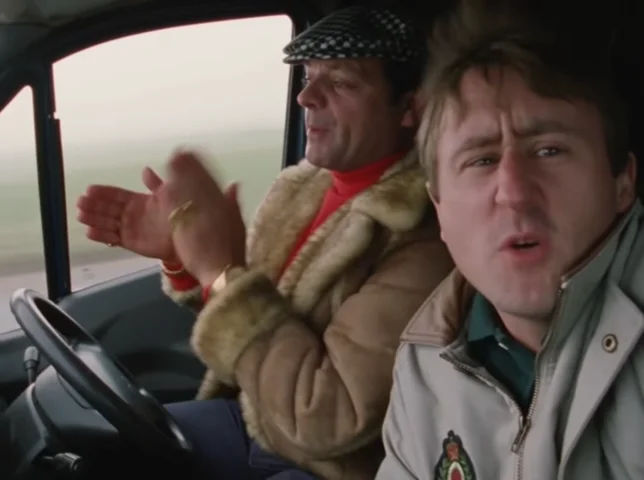
 01
The dashboard, close seats and countryside outside the windows make this feel like a familiar ride rather than a staged music video.
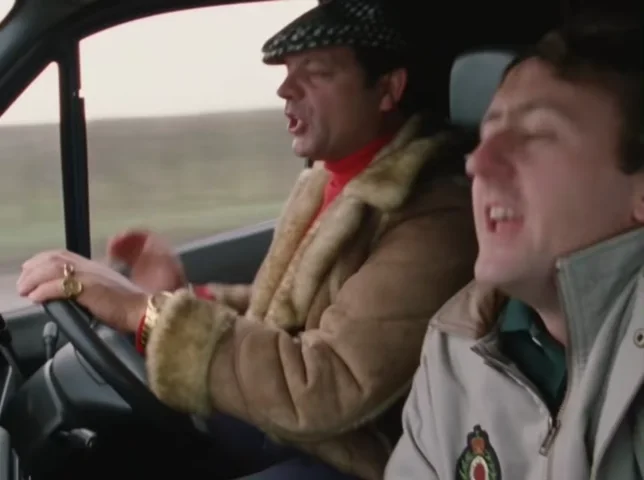
02The foreground passenger leans into the sound with exaggerated expressions and hand movements. A face people recognise makes the joke personal.
 03
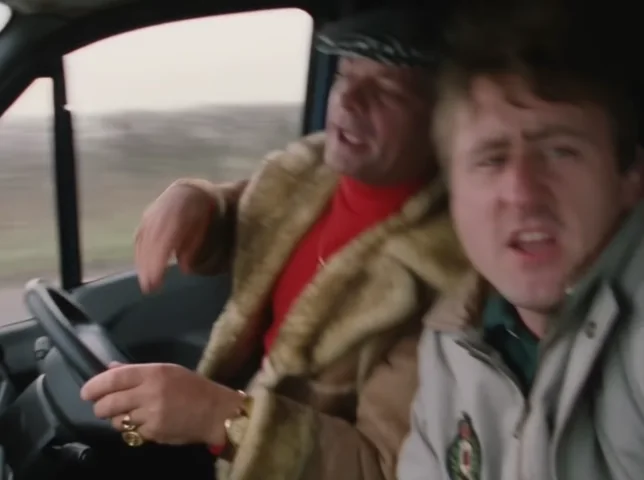
The driver joins the rhythm without changing seats. One photo puts you into the reference duo; two photos turn it into your own double act.
YOUR CAST, YOUR VERSION OF THE JOKE
Keep it simple with one portrait, or make the two-person reveal the punchline. Here are three ideas for who to put in the van.
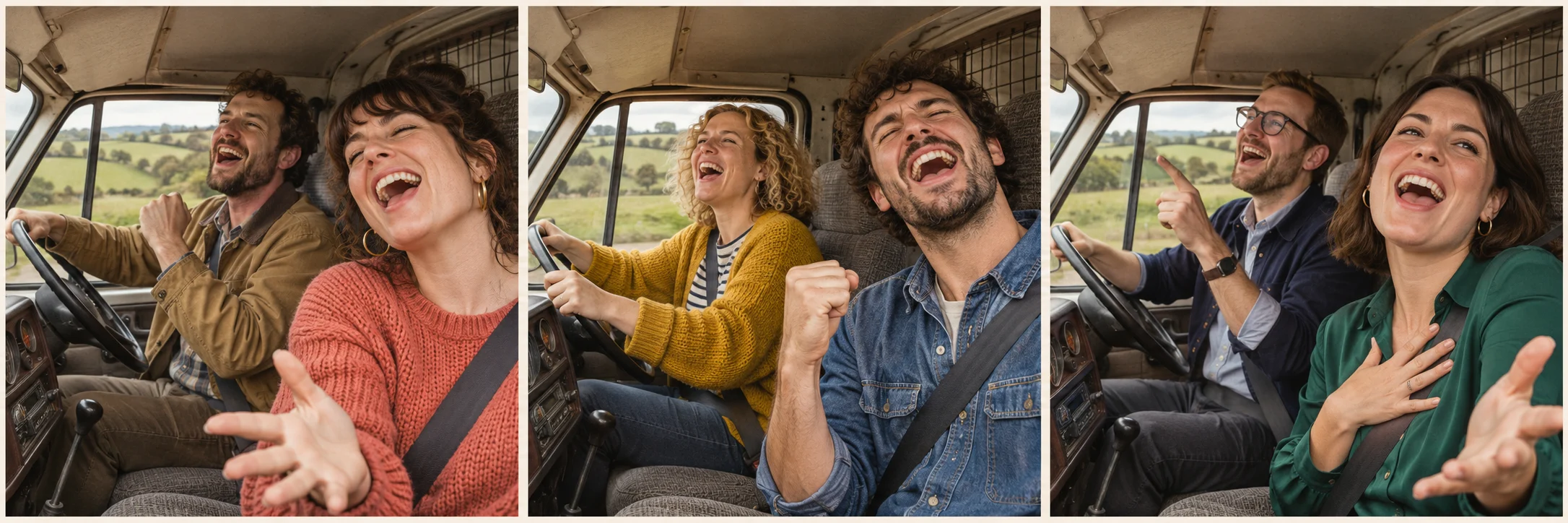
Upload yourself as the passenger and leave the driver slot empty. Your face carries the foreground performance, with the supplied driver keeping the other half of the scene.
A friend, partner or sibling who is in on the joke: add one portrait for each seat and turn the singalong into a recognisable double act.
Cast yourself and a colleague who said yes. The familiar work-van setting makes this an easy setup for an after-work or Friday-energy caption.
AI-generated concept illustrations, not completed LivelyReel video results. Your actual video uses your photos and the supplied performance reference.
Choose your two seatsNO GUESSING WHICH FACE GOES WHERE
Read left and right as they appear on your screen. The required foreground passenger is on the RIGHT; the optional driver at the wheel is on the LEFT. The upload order fixes these roles.
Required. Add one clear portrait of the person who should be nearest the camera on the right. Their face, hair and visible outfit guide the replacement; the seated pose and performance come from the reference.
Optional. Add a separate portrait for the left-side person at the steering wheel. If you leave this empty, the supplied driver keeps their original appearance. The first photo is never automatically copied into this seat.
Use one person per photo. There is no separate scene to film and no need to sit in a van for your upload.
FROM YOUR CAMERA ROLL TO THE VAN
Four steps, one fixed template. The scene, song and performance are already selected, so you can concentrate on who gets each seat.
Choose a sharp portrait for Photo 1. The person in this image becomes the foreground singer on the right. Face, hair and shoulders should be easy to see.
Add Photo 2 if you want a friend in the driver’s seat on the left. Leave it blank to keep the supplied driver. Check both previews and confirm photo permission.
Sign in and press Generate. Use your existing credits, or purchase 30 credits for $5.90. Your photos are carried into an opening image, then animated using the reference performance.
Generation usually takes 4–10 minutes, longer at peak times. You can leave while it runs. When the completion email arrives, open My Videos to download your MP4.
No custom prompt, filming or manual lip-sync editing is required for this template.
GIVE THE AI A FACE IT CAN ACTUALLY SEE
This is a seated, upper-body performance. A well-lit head-and-shoulders or waist-up photo is more useful than a distant full-body shot. You do not need the same pose, car or background as the reference.
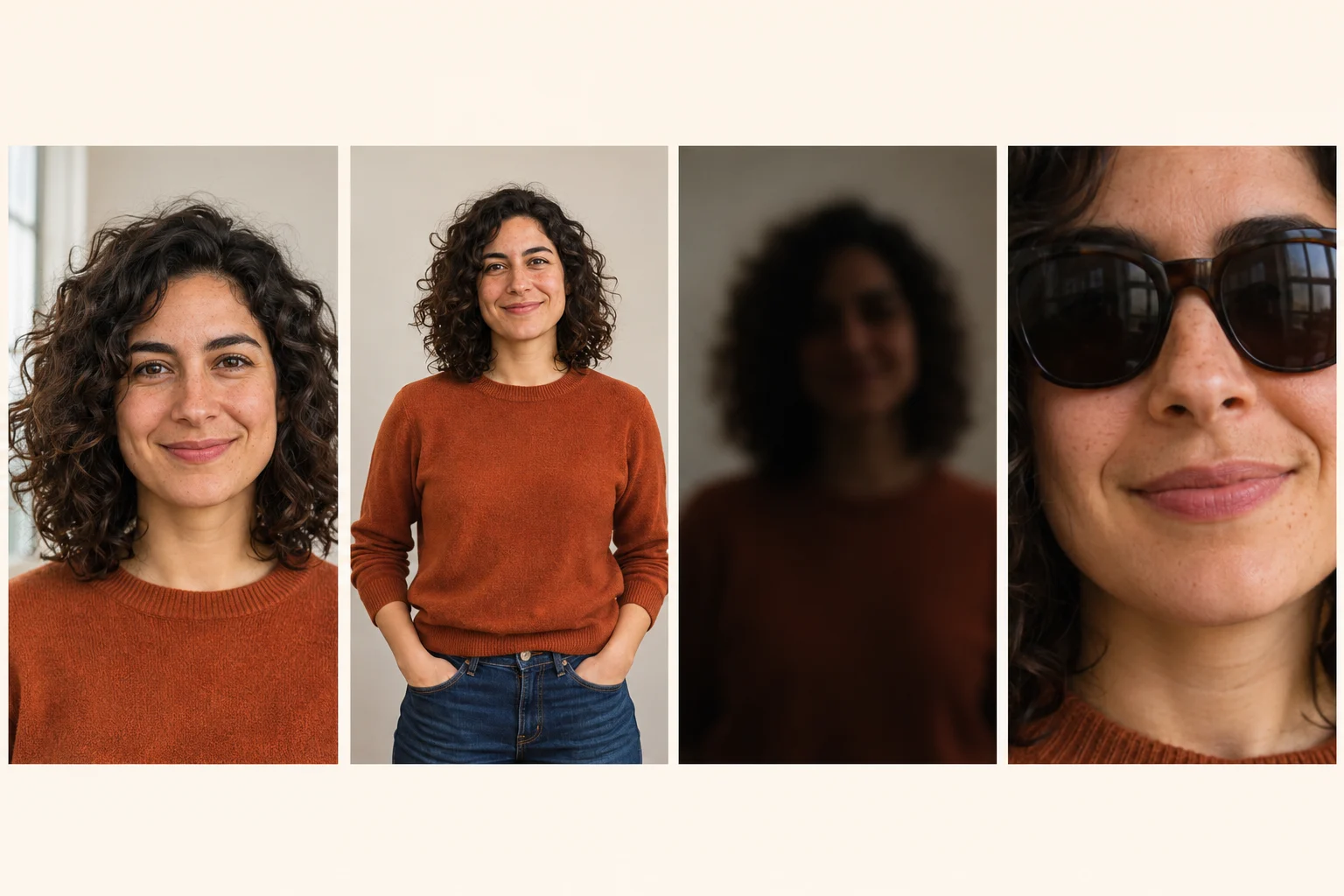
Illustrative AI portraits for the upload guide. They are not user photos or generated-video comparisons.
JPG or PNG · up to 10 MB per photo · one portrait per slot
THE STORY BEHIND THE SINGALONG
From the original YouTube upload to your own two-seat recreation, the song and the shared performance connect the versions. Follow the scene’s history through the original upload and its early music-press coverage.
Owen Browne’s YouTube upload is titled Two Blokes 'Singing' in a Van. Its description credits David Morales – Needin' U and points viewers towards the drop in the longer original video.
Original YouTube upload ↗NME included the van clip in The Poke’s selection of internet music videos. The joke had already travelled well beyond its everyday work-van setting, years before this AI template.
NME: Internet Gold ↗This template follows the supplied 10-second rendition of the scene. It keeps the reference’s framing, performance and audio while using your photos to recast the passenger and, if selected, the driver.
Return to the generator ↑The historical upload and the 10-second template reference are different clips. “Man in Van AI Rap” describes this tool’s theme; it does not mean the original song was a newly written rap.
THE PERFORMANCE IS MORE THAN A FACE SWAP
The supplied reference is one continuous 10-second shot. Both people stay in their original seats while their expressions, mouth movements and hands follow the singalong.
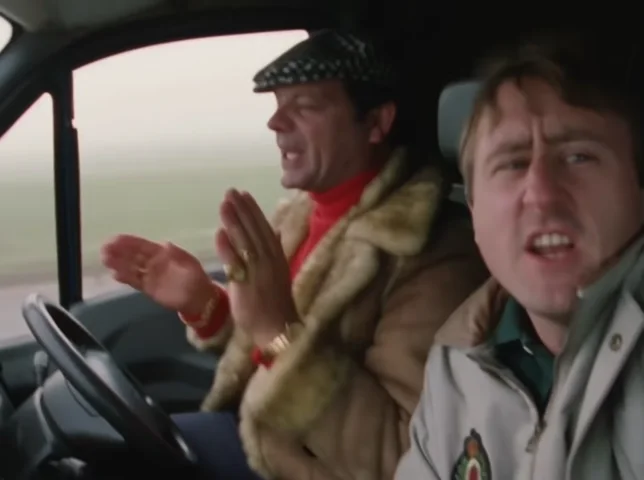
This is the template reference, not a generated customer result.
| Time | What to watch for |
|---|---|
| 0–2 seconds | The van two-shot is already in progress. The passenger is closest to camera on the right; the driver sits at the wheel on the left, with both mouthing the track. |
| 2–4 seconds | The passenger’s hands and face become more expressive while the driver joins the beat. Their screen positions and the cabin remain continuous. |
| 4–6 seconds | The foreground singalong carries the joke: open-mouth expressions, head movement and hand gestures timed to the supplied audio. |
| 6–8 seconds | The left-side driver’s gestures become more prominent as the passenger continues the performance. There is no switch of seats or new camera angle. |
| 8–10 seconds | Both performers continue the shared rhythm through the end of the supplied clip. The video finishes on the reference timeline rather than starting a new verse. |
The van cabin, seats, steering wheel, framing, window scenery, performance rhythm and original audio. You choose the cast; you do not have to rebuild the scene.
The selected people’s face, hair, visible body traits and clothing. Both uploaded identities are placed together before the video is animated, so their roles are established from the start.
These timings describe the supplied reference, not a promise of identical AI frames. Fine mouth shapes, hands, wardrobe and identity consistency can vary.
A BETTER START MEANS FEWER SURPRISES
Check the upload previews before you generate: Photo 1 belongs to the screen-right passenger and Photo 2 to the screen-left driver. The order of the photos matters more than the direction someone is facing in their portrait. Remove and re-upload the photos in the correct slots if needed.
Start with a sharper photo with a larger, unobstructed face. Avoid strong side profiles, heavy filters and small faces taken from a group shot. Hair and shoulders should be visible too. AI can still vary in likeness, especially while heads turn; a clear portrait gives it a better starting point.
The template asks for the uploaded person’s visible outfit rather than a fixed source costume. Include the neckline, shoulders and sleeves in your photo. If only a face is visible, the AI has to infer more of the clothing, so a waist-up image is a better choice when the outfit matters.
The reference video and aligned audio guide both performers, and the original reference audio is used in the result. Tiny lip movements, fingers and fast gestures can still differ. Choose a clear photo without objects covering the face, and judge the whole performance against the supplied preview rather than expecting a perfect frame-by-frame copy.
Your browser does not need to stay open for the task to continue. Usually it takes 4–10 minutes, with longer waits during busy periods. Check My Videos and the completion email instead of repeatedly submitting the same photos. A new Generate action can start a separate paid video.
Use a standard JPG or PNG under 10 MB with one clearly visible person and permission to use their image. If a submitted generation is confirmed as failed, its credits are returned through the normal failure process. Check the task status and credit history before starting another attempt.
MAKE THE CAPTION PART OF THE JOKE
A familiar face is the reveal. Start with the performance itself, then add a short caption about who you cast and why these two belong in the same van. Here are a few starting points you can copy and personalise.
Mention Man in Van AI Rap or Two Blokes 'Singing' in a Van naturally in your caption. Pick a few relevant tags instead of filling the post with unrelated trends.
This is an AI recreation from photos, not footage of the people actually performing in a van. Use the platform’s AI disclosure tools when you publish and make the joke with people who agreed to take part.
The video is landscape 4:3. In a vertical 9:16 post, fit the whole clip inside the canvas rather than automatically filling the frame: a tight centre crop can cut out the driver or passenger.
Your download uses the supplied reference audio. If a platform changes or mutes it, check the audio in that platform’s editor before posting. Creating a clip here does not grant a music licence for ads or other commercial use.
YOUR NEXT SINGALONG
One fixed template, one generation charge. A second portrait changes who plays the driver; it does not add another fee to the same video.
Already have 30 credits? Use your balance. The $5.90 purchase is a one-time top-up, not a required subscription.
| Specification | Your video |
|---|---|
| Price / credits | $5.90 for 30 credits · 30 credits per generation |
| Photo inputs | 1 required passenger + 1 optional driver |
| Video length | 10 seconds |
| Picture | HD 768p · landscape 4:3 |
| Audio | The supplied reference clip’s original audio |
| Typical wait | 4–10 minutes; longer at peak times |
The source, the photos, the sound and what you receive—answers to the details worth knowing before you generate.
If you mean the two men in a van singing along to Needin' U, this template recreates that two-person setup. Its source meme is Two Blokes 'Singing' in a Van, Owen Browne’s 2010 YouTube upload. Man in Van AI Rap is the name used here for the personalised AI version: your photos take the passenger and optional driver roles in the supplied 10-second reference. You can cast people of any gender in those two seats.
Only Photo 1 is required. It replaces the foreground passenger on the RIGHT of the screen, closest to the camera. Photo 2 is optional and replaces the driver on the LEFT, at the steering wheel. Use a separate image with one person for each slot. If Photo 2 is empty, the supplied driver stays in place; the first uploaded person is not duplicated into both seats.
The song is David Morales – Needin' U, which is credited in the original YouTube description. The finished video uses the audio from the supplied reference clip on the same timeline. The name Man in Van AI Rap does not mean the tool writes a new rap, changes the lyrics or clones the singer’s voice. No separate music upload is needed for this template.
The edited opening image anchors the chosen faces and their seats, while the reference video and aligned audio guide the mouth movements, head bobs, expressions and hand gestures. The source audio is restored in the finished clip to keep the original timing. AI can still change fine lip shapes, fingers and identity detail during motion, so the tool aims to follow the performance without guaranteeing an exact frame-for-frame copy.
Each generation uses 30 credits. A dedicated one-time purchase of 30 credits costs $5.90, and you can use credits already in your account instead. Adding the optional driver photo does not add a charge to that video. There is no required subscription for this template. Pressing Generate again starts a new attempt and can use another 30 credits, so check an existing task before submitting it again.
Generation usually takes 4–10 minutes, with longer waits during busy periods. The result is a 10-second MP4 in HD 768p and a landscape 4:3 frame, with the reference audio. This template has fixed output settings rather than a resolution or duration selector. Both people fit the original two-seat composition; it is not generated as a vertical 9:16 video.
Upload your passenger portrait in Photo 1, optionally add a driver portrait in Photo 2, and confirm that you have permission to use the images. Sign in and press Generate my van video. Your account balance is checked before generation; if you need more credits, the dedicated checkout offers 30 credits for $5.90. The template supplies the scene and performance instructions, so no prompt-writing or manual video editing is required.
Yes. With just your Photo 1, you become the passenger and the reference driver stays unchanged. To include a friend, partner, sibling or colleague, put their portrait in Photo 2 and they become the driver. Make sure they agree to the recreation. These are two ways to cast the same template, so the length, reference audio and 30-credit generation price are the same.
Choose a sharp head-and-shoulders or waist-up photo with one person, a clearly visible face and even light. Keep the whole head, hairstyle and some clothing in frame. You can face the camera or use a gentle angle; you do not need to imitate the performance pose. Avoid sunglasses, masks, heavy beauty filters, motion blur and distant group shots. JPG and PNG files up to 10 MB per photo are supported.
Use a separate portrait for each role instead of putting both people in one upload. Photo 1 is the passenger reference and Photo 2 is the driver reference; there is no group-photo mode on this page. If your only image contains several people, prepare clear individual portraits before uploading. This helps avoid ambiguity about which face and outfit belong to each seat.
For a person you replace, the template uses the uploaded photo as the reference for their face, hair and visible wardrobe. The original seated pose and gestures still come from the performance. A waist-up photo that shows the neckline, sleeves and main outfit is useful when clothing matters. Any area missing from the photo must be inferred by AI. An omitted driver keeps the supplied driver’s original appearance and clothing.
No separate editing app is needed to create this video. You upload photos and generate the clip in your browser, then download the MP4 from your result or My Videos. The TikTok examples on this page are there to show community takes on the scene; you do not have to find or install their template. You can use your usual social app later to add a caption, fit the video to a canvas or publish it.
This page is a fixed reference template. You choose the passenger and, optionally, the driver, while the reference supplies the van setting, camera framing, performance and audio. There is no custom-song upload or text box for changing the lyrics or choreography. If you want a different soundtrack for a post, edit your downloaded video in another tool and keep in mind that changing the timing can make the visible mouth movements feel less synchronised.
You can prepare the downloaded MP4 for those platforms in their editors. The clip is 4:3 landscape, so fitting the whole video onto a vertical canvas keeps both faces visible. Filling a 9:16 canvas with a tight crop can remove the driver or passenger. Preview the framing and sound before publishing, add your caption and use the platform’s AI disclosure tools where applicable.
When the task finishes, the generator can show your result and a Download MP4 button. You can also open My Videos in your account to check the task and download the finished clip. A completion email is sent when the video is ready. Save the MP4 promptly and follow any expiry information shown in My Videos; the page preview and TikTok embeds are examples rather than your personal download.
Credits are returned for confirmed generation failures through the normal task-failure process. Check the video’s status and your credit history before making another attempt. A returned credit balance is different from a cash refund to the original payment method: it lets you use those credits again. If a photo is rejected, choose a permitted, clear image and review the displayed message rather than repeatedly submitting the same input.
Yes. Once generation has been accepted and the task is underway, it continues without keeping this browser tab open. Come back to My Videos to check its status, or follow the completion email when the result is ready. Typical waiting time is 4–10 minutes, but busy periods can take longer. Reopening the page is fine; pressing Generate again is a separate action and can create another paid attempt.
It is an AI recreation made from still photos, not footage of the uploaded people actually singing in a van. Use your own images or people who have agreed to be included, and keep that context clear when sharing. LivelyReel is independent of the original video creators and David Morales. The reference soundtrack remains associated with its owners; generating a clip here does not grant a music licence for advertising or other commercial use.