 1
The night-lawn entrance
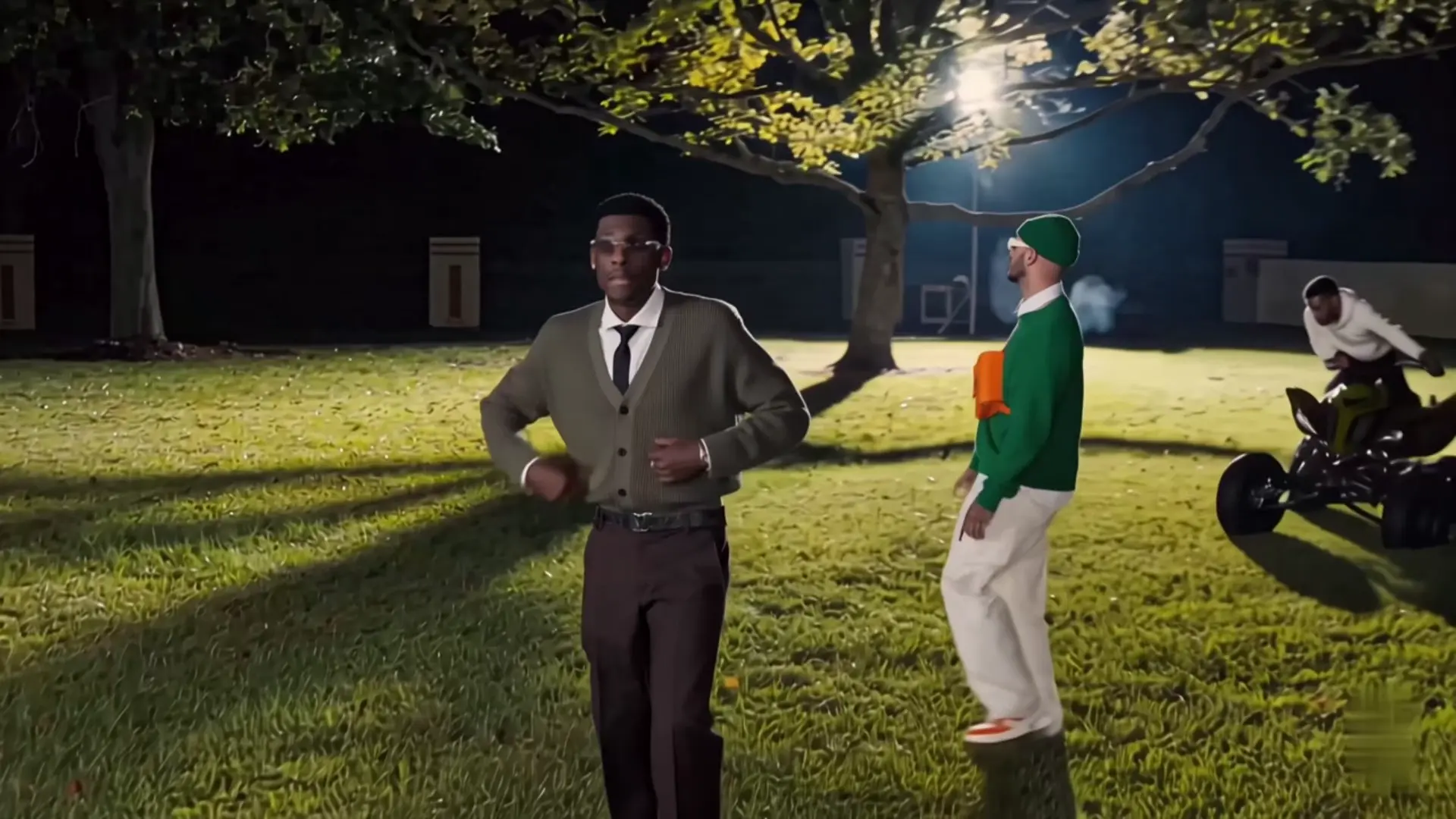
You lead under the floodlight while your companion moves behind you. The lawn gives way to cool blue glass-block lighting before the camera heads outside again.
THE BANDIT VERSE. A DIFFERENT LEADING ROLE.
Rap the Bandit YB verse on the night lawn, step into the blue-lit studio, and return for the close-up. Add your photo and an optional friend to make this music-video moment yours.
Who’s taking the verse?
The suited lead.
The person in green. Leave empty to keep them.
15s · 16:9 · Original sound
Generation fails? The generation credits are returned.
THE VERSE, FROM FIRST LOOK TO FINAL CLOSE-UP
Nighttime swagger, a quick ATV interruption, then straight back to the camera. The cutaway is part of the joke: your performance returns just when the scene seems to have taken a detour.
1You lead under the floodlight while your companion moves behind you. The lawn gives way to cool blue glass-block lighting before the camera heads outside again.
 2
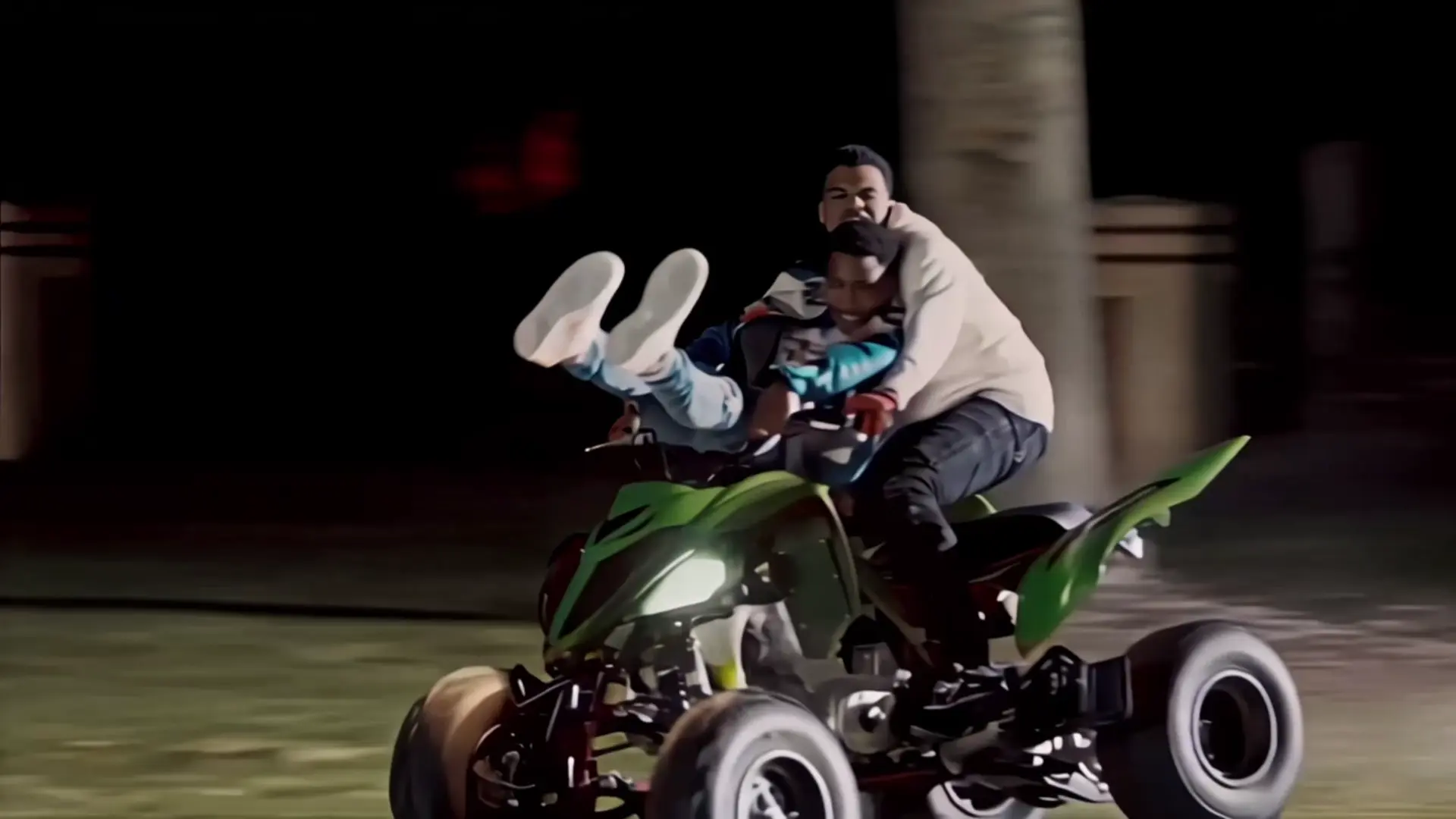
A green quad bike and its riders take over for a brief cutaway. The sudden change of subject breaks up the performance without losing the song’s momentum.
 3
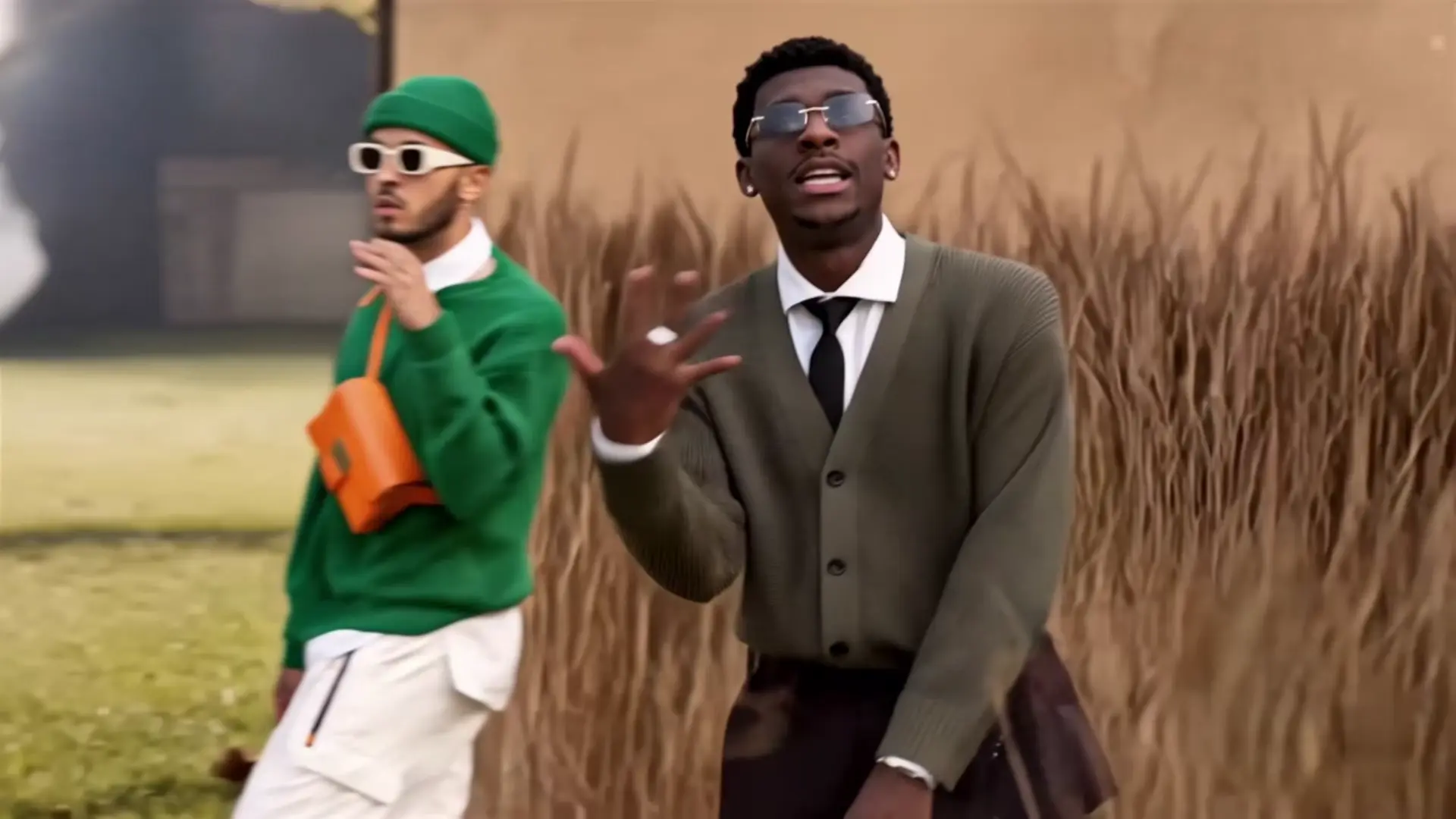
Tall grass, a smoky backdrop and a tight blue-lit close-up bring the lead back into focus. Your expression becomes the punchline as the verse finishes.
WHAT IS BANDIT YB VERSE AI?
Bandit YB Verse AI puts a new cast into a short performance built around YoungBoy Never Broke Again’s verse on Bandit. The music stays familiar while the person giving that confident look to the camera becomes you.
This version pairs a suited lead with a green-clothed companion. Their contrast is what makes the scene work: one takes the verse seriously while the other adds movement in the background. The ATV insert briefly steals the spotlight, then the close-ups give it back. It is a compact music-video joke with an entrance, an interruption and a comeback.
Add a second photo for a duo cameo, or go solo and keep the reference companion. The lead owns the rap close-ups; the friend joins the scene without becoming a second version of the lead.
FOUR LOOKS. ONE BANDIT VERSE.
These stills are from this page’s reference edit. The outdoor floodlight, icy blue room and dry reeds give the same performance a different mood at each cut.
Open grass, hard shadows and the green-clothed companion.
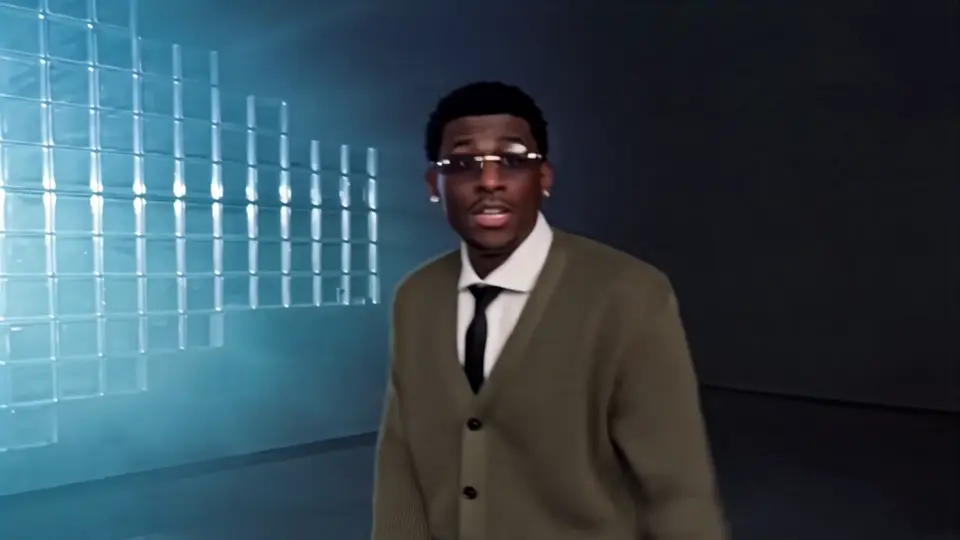
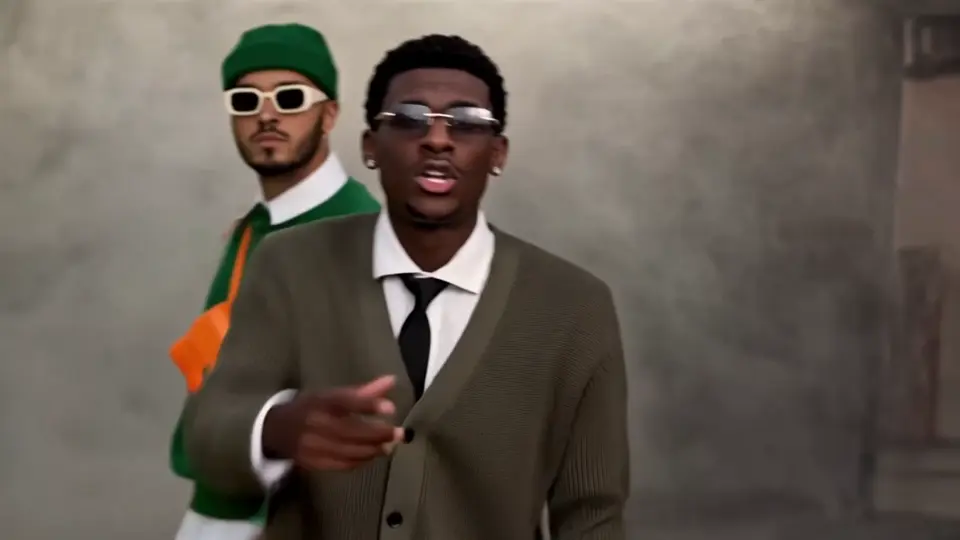
Cool light, a closer camera and a direct look at the lens.
A dry, sepia-toned setting around the sharply dressed lead.
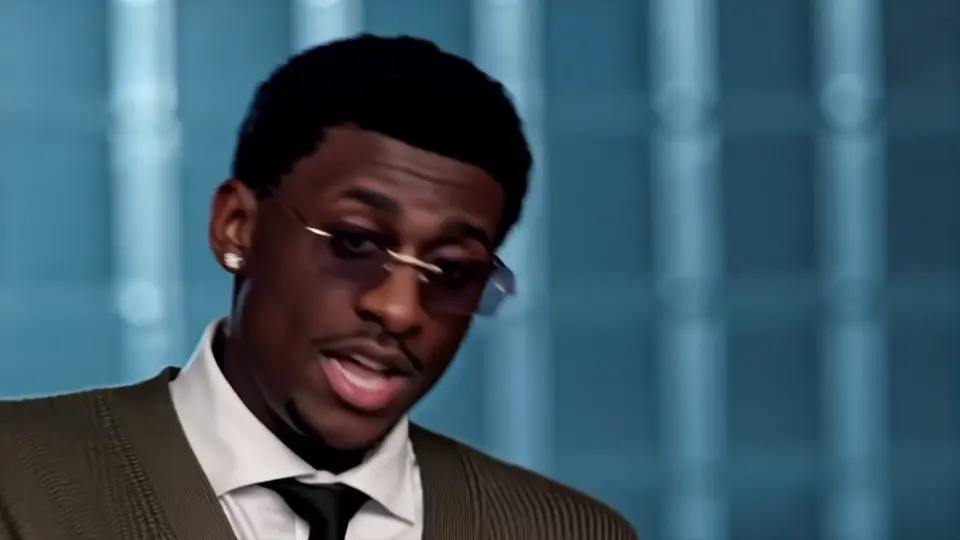
The face fills the frame; your own look makes it personal.
CAST THE CAMEO
Choose people whose faces and outfits your friends will recognize. The lead and companion stay separate as the camera changes sides.
Your photo takes the suited performer’s role, from the lawn entrance to the rap close-ups. This is the face viewers see most clearly.
Add a friend for the supporting role in green. No second photo? The companion already in the reference stays. Adding a friend costs no extra.
The ATV riders stay as they are in the reference.
YOUR NEXT GROUP-CHAT MOMENT
Upload one clear photo for the lead. Add a consenting friend if you want a two-person cameo.
Choose 480P from $2.99 or 768P for $7.99. You can use existing credits or make a one-time purchase.
Create your edit, download the MP4, and give the verse your own caption. Your video is also available in My Videos.
A FACE WORTH THE CLOSE-UP
Bandit moves from a wide lawn shot to a close view of the lead’s face. Pick a portrait that works for both: a clear face, a visible hairstyle and enough of the outfit to recognize the person.
FROM THE 2019 MUSIC VIDEO TO THE AI EDIT
The song and the photo-recast trend have different histories. Bandit began as a Juice WRLD and YoungBoy collaboration in 2019; the later AI edits turn a recognizable piece of that performance into a cameo for a new cast.
The official recording credits Juice WRLD and YoungBoy Never Broke Again, with production by Nick Mira. “YB” in the template name points to YoungBoy’s verse, rather than a different song or a newly recorded AI track.
Official recording and release credits ↗Lyrical Lemonade released the official Bandit music video, directed and edited by Cole Bennett. That artist video is the historical starting point. The suited lead and green-clothed companion on this page belong to the supplied recast reference, whose cast and edit differ from the official video.
Lyrical Lemonade · official music video ↗The Official Charts archive of Billboard’s Hot 100 lists Bandit at No. 10 in its October 22–28 chart listing, up from No. 11. The song had already become a chart hit years before the later AI-recast format.
Official Charts · archived Hot 100 listing ↗An indexed November 19 tutorial by @onngha4 uses the phrase “Bandit YB Verse AI” and demonstrates a photo-upload template workflow. Other indexed tutorials use “Bandit YB and Juice WRLD AI.” These records document the format circulating by that date; they do not establish who created the first AI edit.
November 19 tutorial record · TTAnon index ↗The timeline separates official song credits, the original music video, chart history and later community tutorials. The preview here is the supplied reference edit; it is not presented as the original artist video or as a verified first viral post.
The lead keeps addressing the camera even as the set changes. That makes a familiar face immediately noticeable. The blue room intensifies the eye contact, the reeds change the color and texture, and the quick ATV interruption gives viewers a recognizable beat to anticipate. Changing the cast lets the same musical moment become a friend-group joke without needing a new story.
THE SAME VERSE, YOUR OWN CAMEO
The fun comes from recognition: keep the places and rhythm people expect, then let your appearance change the meaning of the scene.
| Part of the edit | What you get |
|---|---|
| The lead | Your face, hairstyle and visible outfit in the main performance role. |
| The companion | Your optional friend, or the existing green-clothed person if you leave the slot empty. |
| The ATV moment | The reference riders and action stay in the short cutaway. |
| The music and framing | The reference soundtrack and landscape composition, including the lawn, studio and reeds. |
| The finish | One downloadable MP4, about 15 seconds, in your chosen 480P or 768P quality. |
GET THE CAMEO RIGHT
Put your friend’s portrait in the main-rapper slot and yours in the optional companion slot. The first upload gets the lead performance and close-ups.
Upload a photo that clearly shows it. A familiar jacket or hairstyle reads better than a face crop with no clothing visible. Small prints and accessories can still vary.
AI can vary in close-ups and fast gestures. Start with a sharper, more natural portrait and avoid strong filters or a hand covering the face. Exact facial motion is not guaranteed.
Check My Videos while signed in. You do not need to keep this page open or start another copy. If generation fails, the spent generation credits are returned.
POST THE VERSE, KEEP THE JOKE
The cast reveal is usually enough. Keep the caption short, tag the friend who agreed to the cameo, and let the ATV interruption do its part.
Keep the full landscape scene inside a vertical canvas. An aggressive crop can remove the companion or turn the ATV cutaway into a close-up of the wrong part of the shot.
The reference soundtrack is part of the downloaded edit. Check your platform’s music rules for the post you want to make; a generation purchase does not grant a music license.
Use the platform’s AI label where required and get permission from both people. The edit is your creative cameo, not an artist endorsement or a real performance by the person in your photo.
The cast, the cutaway, the sound and the practical details before your first edit.
It makes you the lead in a short Bandit verse edit: the night lawn, blue-lit studio, ATV interruption and final close-ups. Add your photo and an optional friend, choose quality and download a landscape video with the reference sound.
YB refers to YoungBoy Never Broke Again, the featured artist on Juice WRLD’s Bandit. The template name identifies the verse and reference edit; it does not mean that an artist endorses or personally creates your video.
The music is Bandit by Juice WRLD featuring YoungBoy Never Broke Again, released on October 4, 2019. This page focuses on the YB verse and keeps the supplied edit’s sound. The history section links to the official recording and music video.
One photo is required for the main rapper. A second photo is optional for the green-clothed companion. Upload one person per image; the optional photo does not increase the price of the selected quality.
Your first photo takes the suited main rapper’s role. The optional second photo takes the green-clothed companion’s role. Their screen positions change between shots, so choose by role rather than assuming one person stays on the left.
Yes. Add yourself as the main rapper and leave the companion slot empty. You get the lead performance and close-ups alongside the existing green-clothed companion. The ATV riders also remain as they appear in the reference.
No. Your photo belongs to the main rapper and your friend’s photo belongs to the companion. The ATV riders keep their reference appearance, so the quick interruption remains recognizable between your performance shots.
It follows a specific sequence of places and reactions: the floodlit lawn, the blue room, the brief ATV detour, the warm reeds and the closing expression. Your cameo sits inside that familiar verse instead of becoming a new music video with unrelated locations.
Your face, hair and visible outfit provide the look for your cameo. Include shoulders and the clothing you want people to recognize, rather than a face-only crop. Small patterns, accessories and details can vary in the finished AI video.
Use a sharp JPG or PNG under 10 MB, with one clearly visible person. Include the whole head and upper body in even lighting. Avoid distant faces, group photos, extreme profiles, filters and objects covering the face.
The performance follows the reference rhythm, mouth movement and gestures, with the reference sound included. Fine facial motion and hands may vary, particularly in fast close-ups. Choose a clear, natural portrait for a more recognizable cameo.
This is a fixed Bandit verse edit with its own song, settings and ATV moment. There is no replacement-song or custom-location option on this page. Choose another template if you want a different music-video scene.
480P costs $2.99 or 30 credits per generation. 768P costs $7.99 or 80 credits and is selected by default. The optional companion is included. Single-video checkout grants the credits needed for one generation at the selected quality.
This is a 15-second landscape template delivered as an MP4. The supplied reference edit runs about 15 seconds. Choose 768P at 1366 × 768 or 480P at 854 × 480; both keep the complete landscape framing.
You do not need CapCut, a written prompt or a separate video editor to create the cameo. Add your photos, choose quality and create. An editor is optional if you want to add a vertical canvas, a caption or other finishing touches after downloading.
Timing depends on the current queue, so there is no fixed completion promise. Once started, your video appears in My Videos while you are signed in. You can leave the page and return there instead of submitting the same edit again.
If a generation fails, its generation credits are returned. You can check the task in My Videos. A completed video with aesthetic differences is a different case; the Refund Policy explains purchase questions and the applicable terms.
You can download the MP4 and prepare it for your platform, subject to permissions and music rules. Fit the landscape frame inside a vertical canvas to avoid cutting off the cast. Label AI content where required. Buying a generation does not grant artist endorsement, a music license or commercial-use permission.
PRICING
One lead, an optional friend and the recognizable Bandit edit. Choose quality before you create; a single video needs no subscription.
One-time purchase · no subscription
Choose photos and qualityAI recreation using the supplied reference edit. No artist affiliation or endorsement. Use photos and media you have permission to use. A generation purchase does not grant music or commercial-use rights.
Use your credits on this template or any other LivelyReel template.
100 Credits
Try your first video
300 Credits
For a small batch of ideas
1,000 Credits
More credits for regular creators